For property managers and building owners

Every repair, from the resident’s phone to the vendor’s bill.

Residents report problems from a QR code on the fridge and try a safe fix first. The right insured vendor gets the job. Everyone hears when it’s done, and you see all of it on one list.
Start freeSign in14 days free. No credit card. Takes about two minutes.
  • 1The resident reports it
  • 2They try a safe fix first
  • 3The right vendor gets it
  • 4Everyone hears
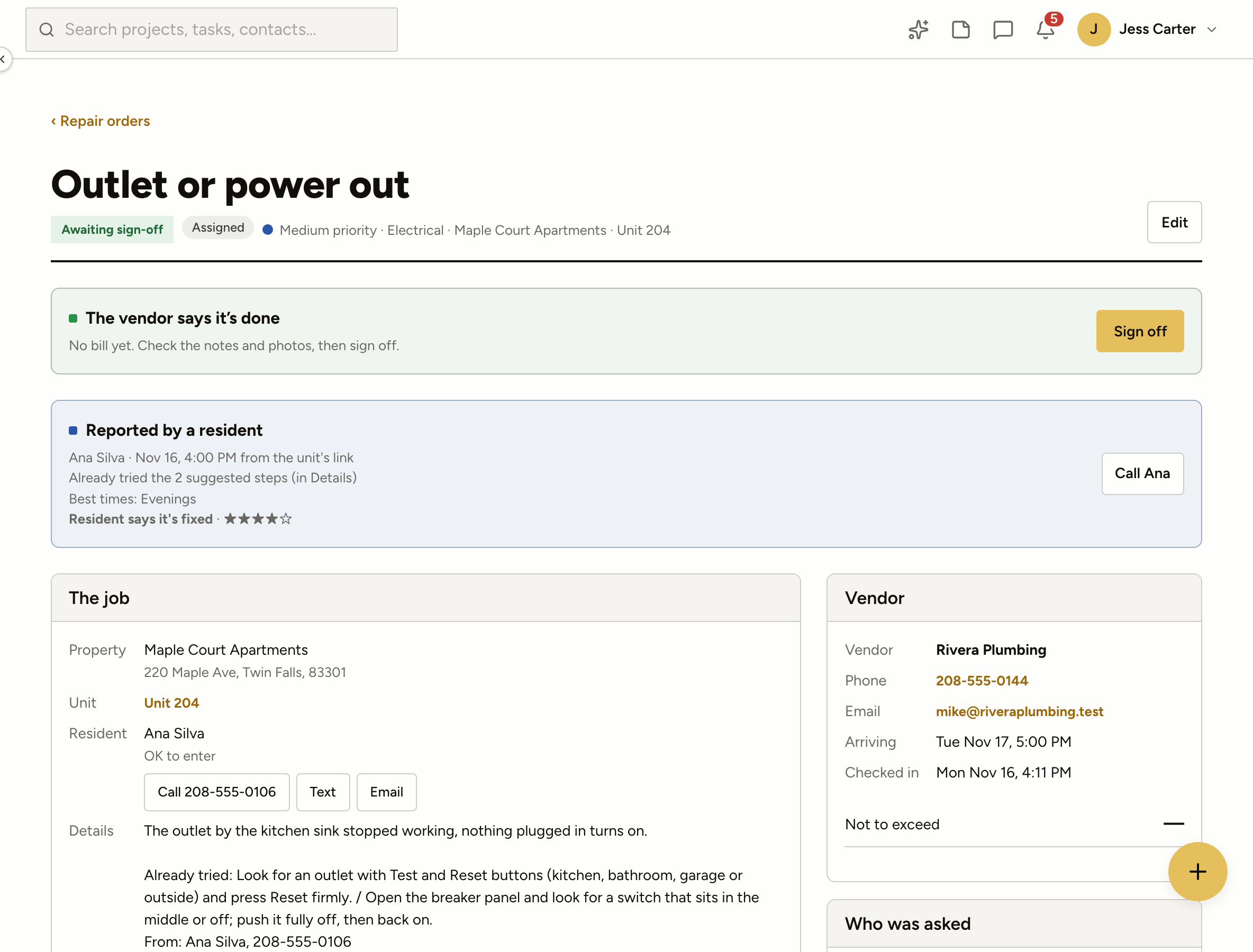
A PropertyAire work order a resident reported: the vendor is done and the resident says it’s fixed
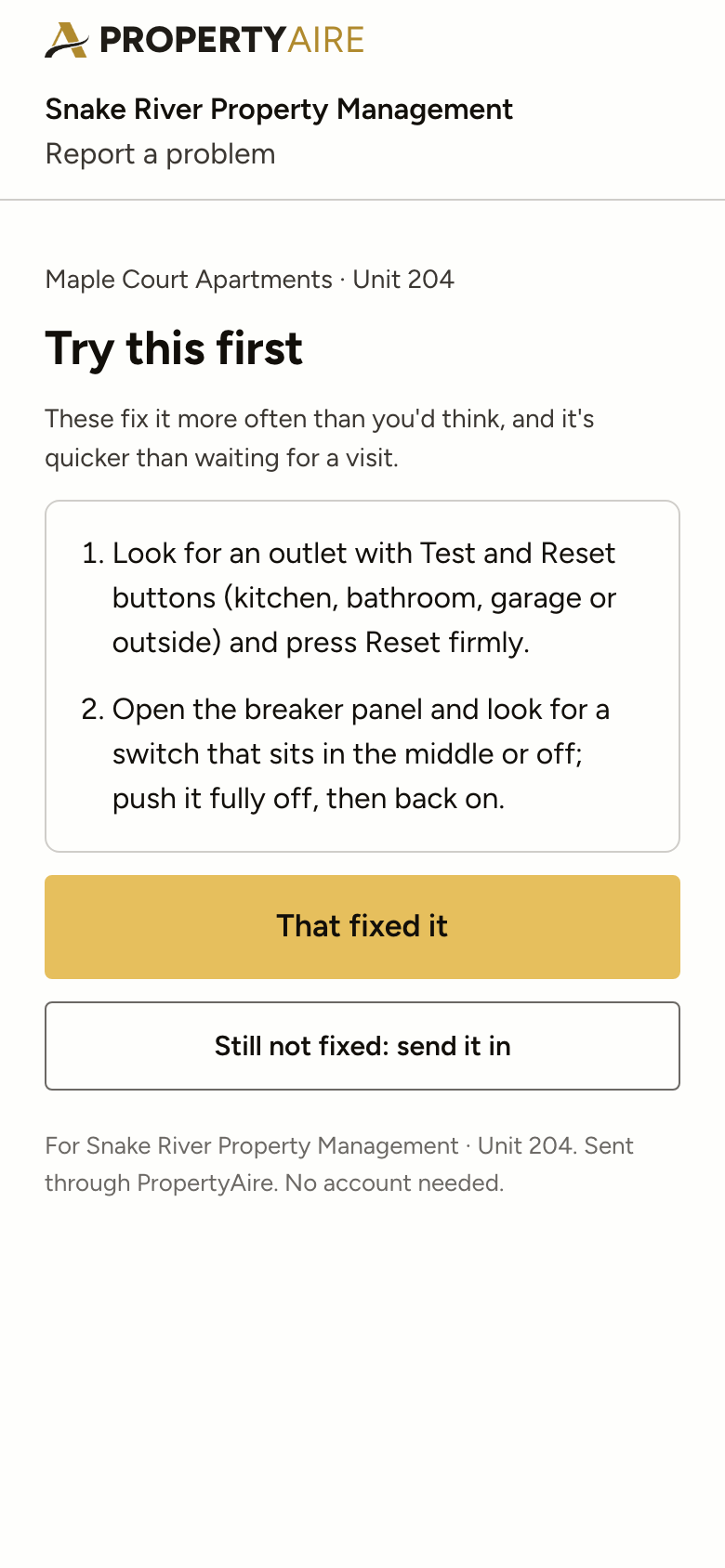
The resident’s phone: two safe things to try before anyone is sent out

How it works

From “it’s broken” to “it’s fixed”

  1. 1The resident reports itFrom the QR code on their fridge: type it or say it, add a photo. No app, no login, no password to forget.
  2. 2They try a safe fix firstA tripped outlet or a clogged disposal often fixes itself in a minute. Gas, fire or flooding skips straight to your office.
  3. 3The right vendor gets itOnly vendors who do the trade, cover the address and have current insurance on file. Your preferred ones go first.
  4. 4Everyone hearsThe resident gets an email when it’s scheduled, when someone’s there and when it’s done, then answers “Is it fixed?”

For your office

What your team sees

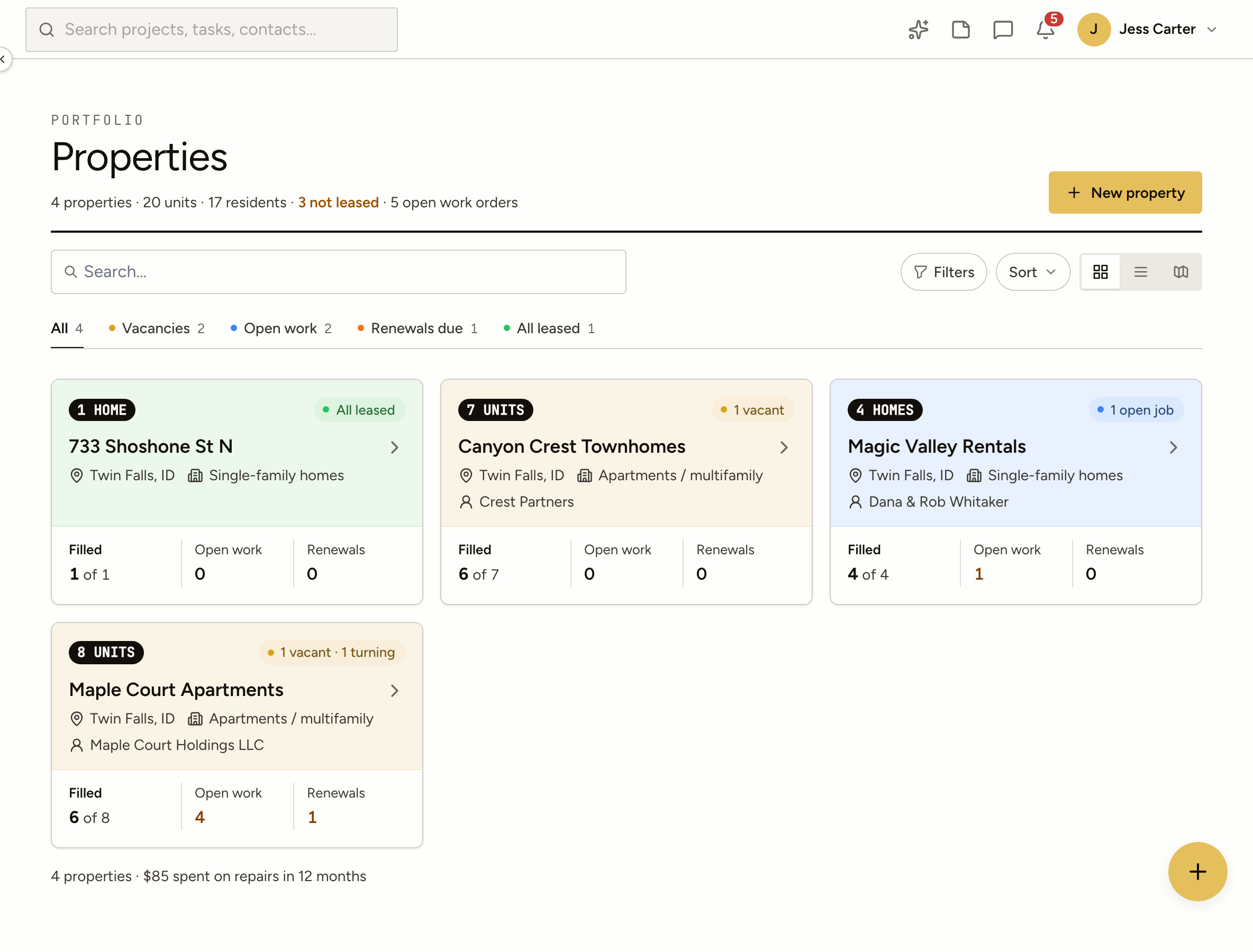
  1. PropertyAire Properties: a card per property with units filled, open work and renewals
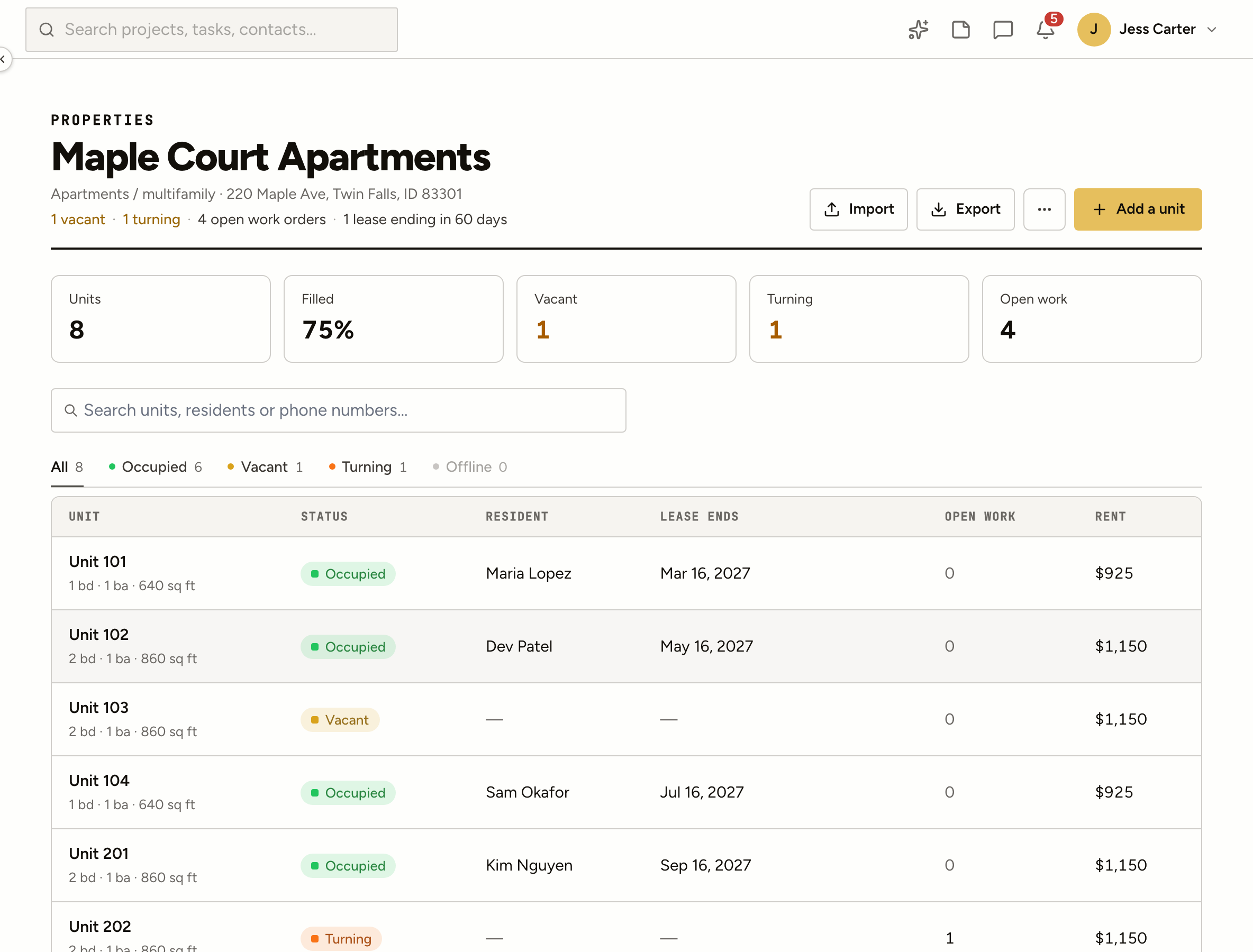
  2. A property page: units with status, resident, lease end, open work and rent
  3. A work order reported by a resident: the vendor says it’s done, the resident says it’s fixed with four stars
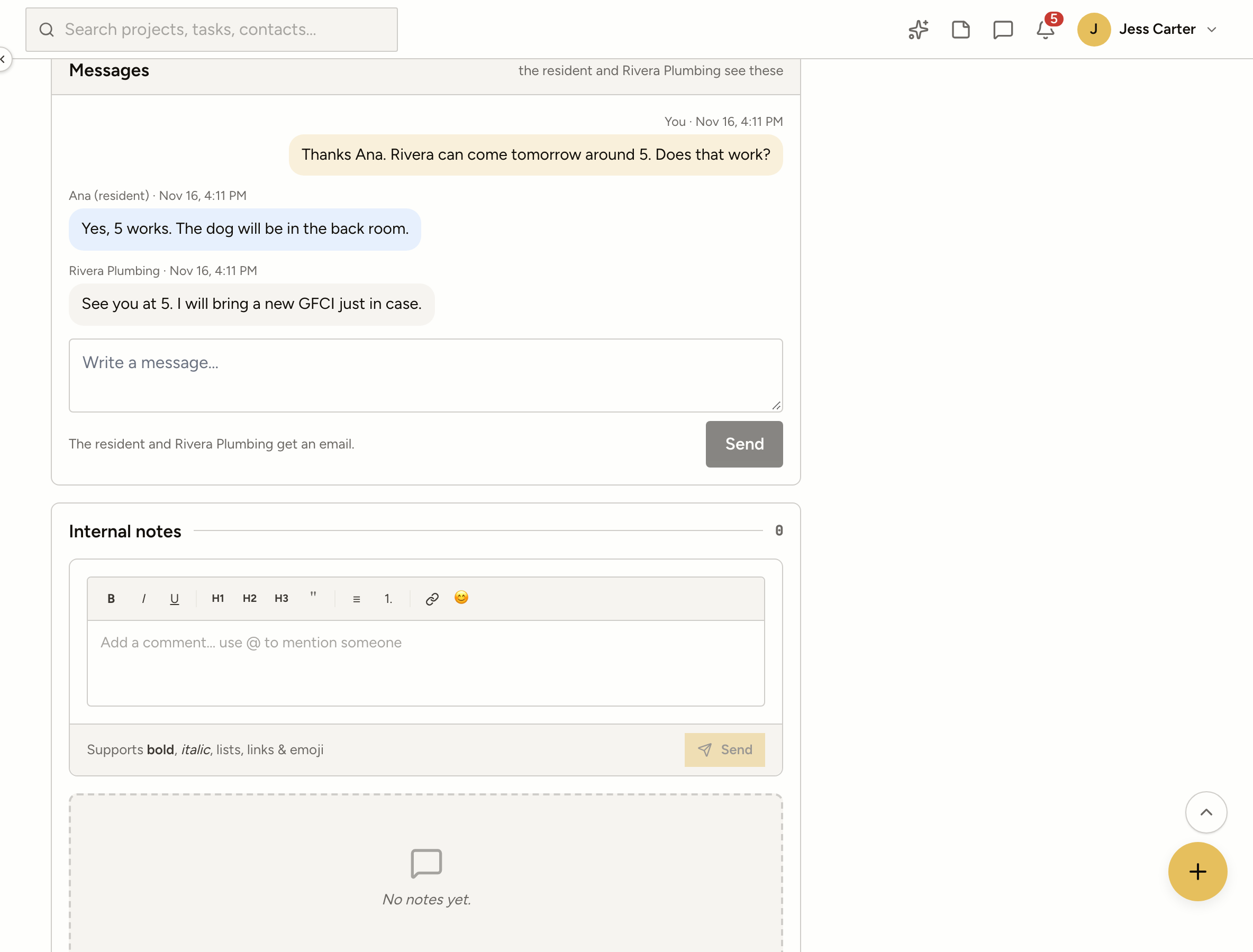
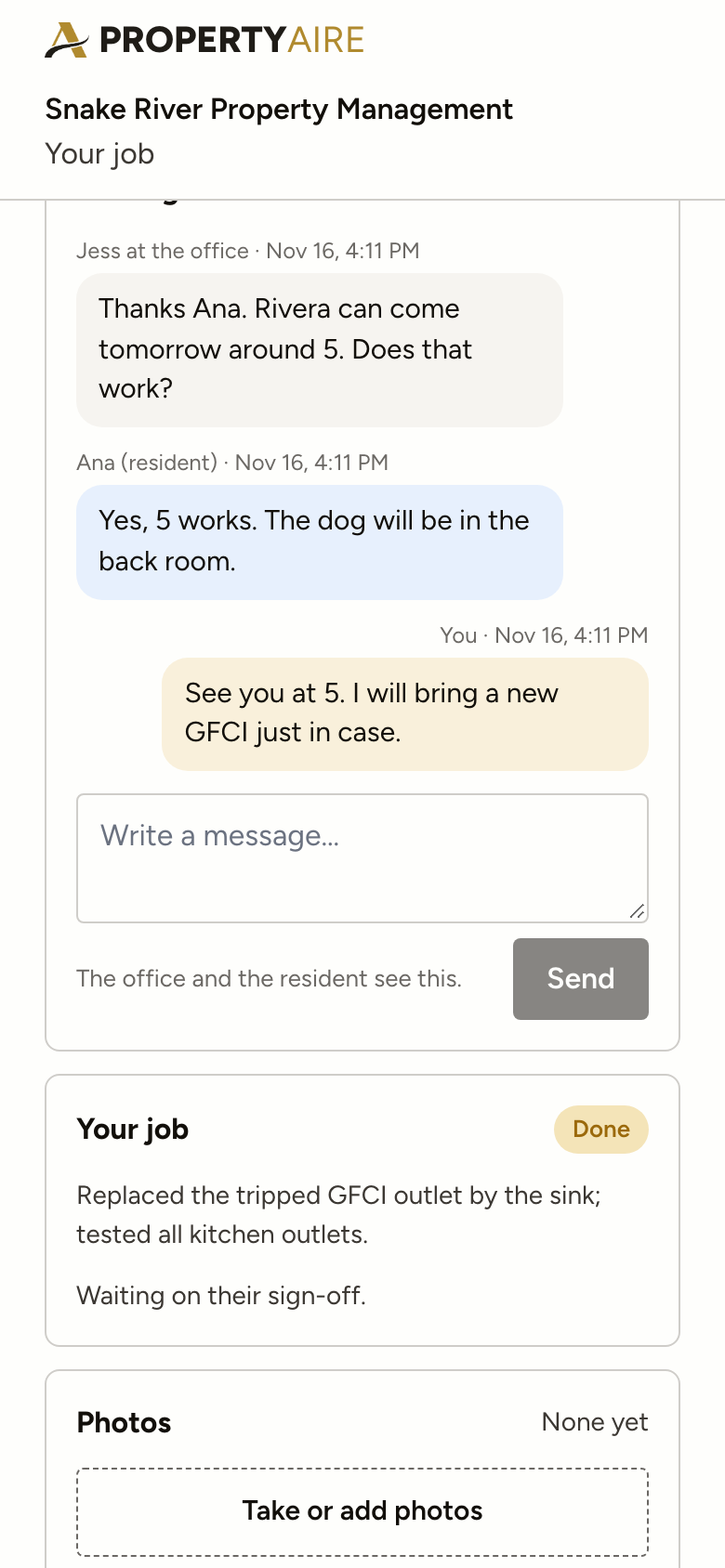
  4. The job’s message thread with the office, the resident and the vendor
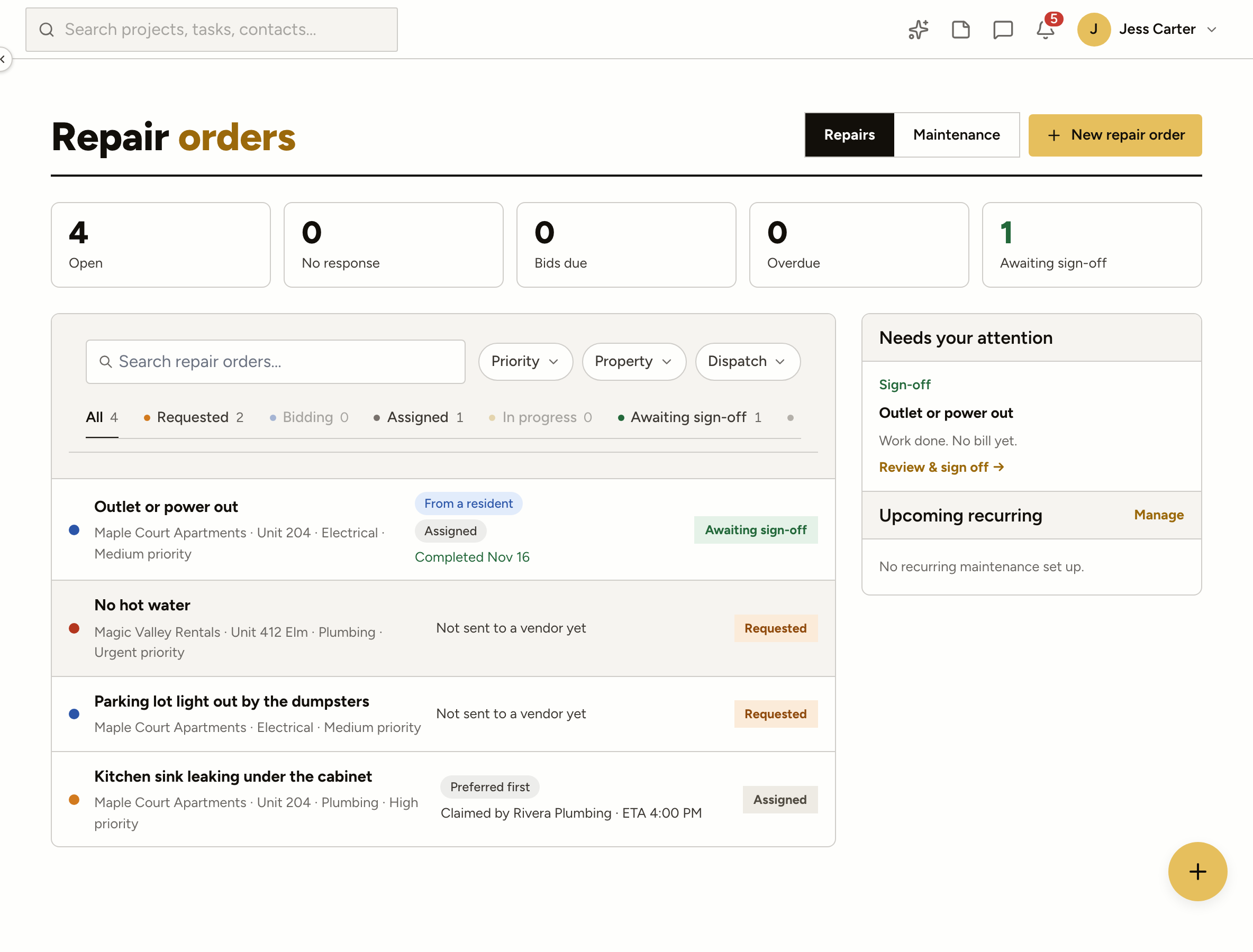
  5. The repairs list across every property, by status
PropertyAire Properties: a card per property with units filled, open work and renewals

For residents

Easier than calling you

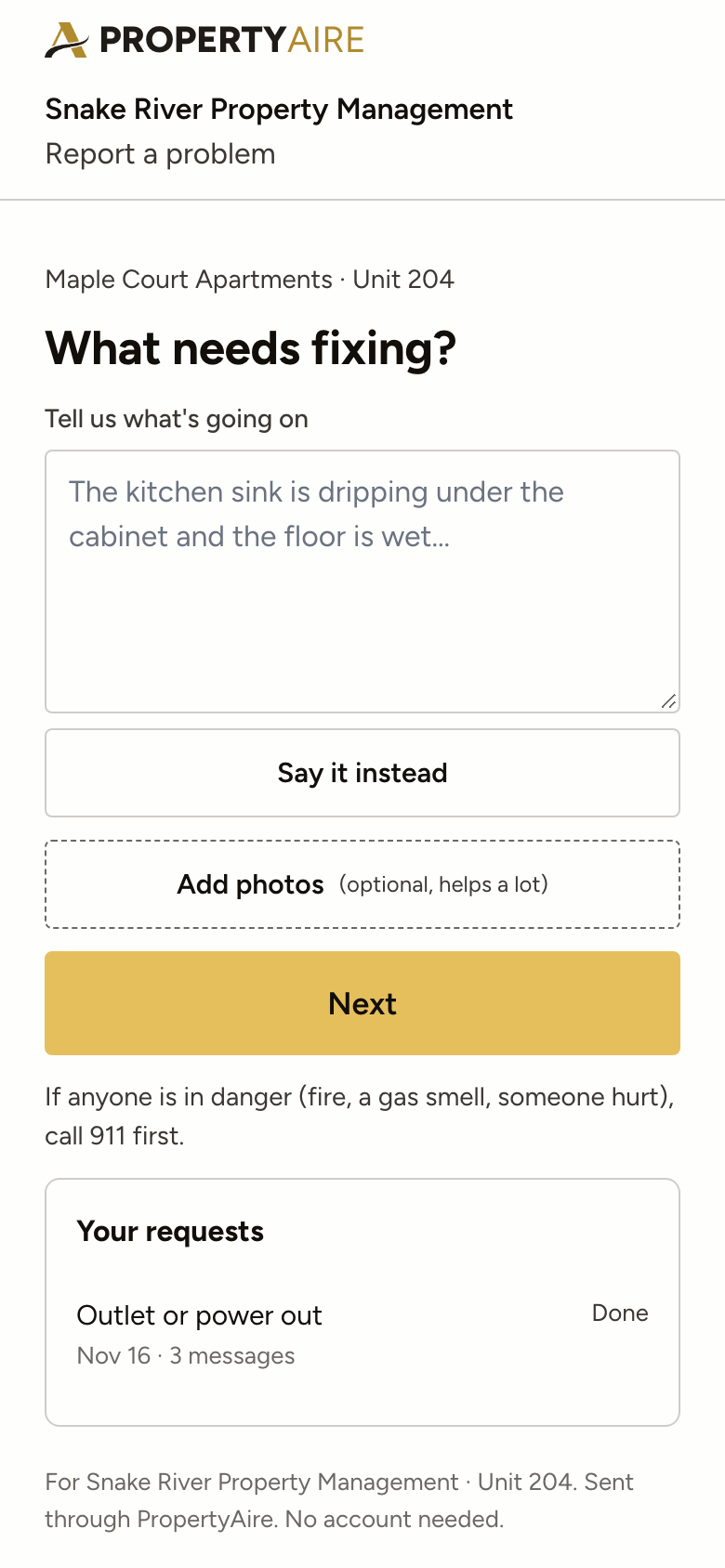
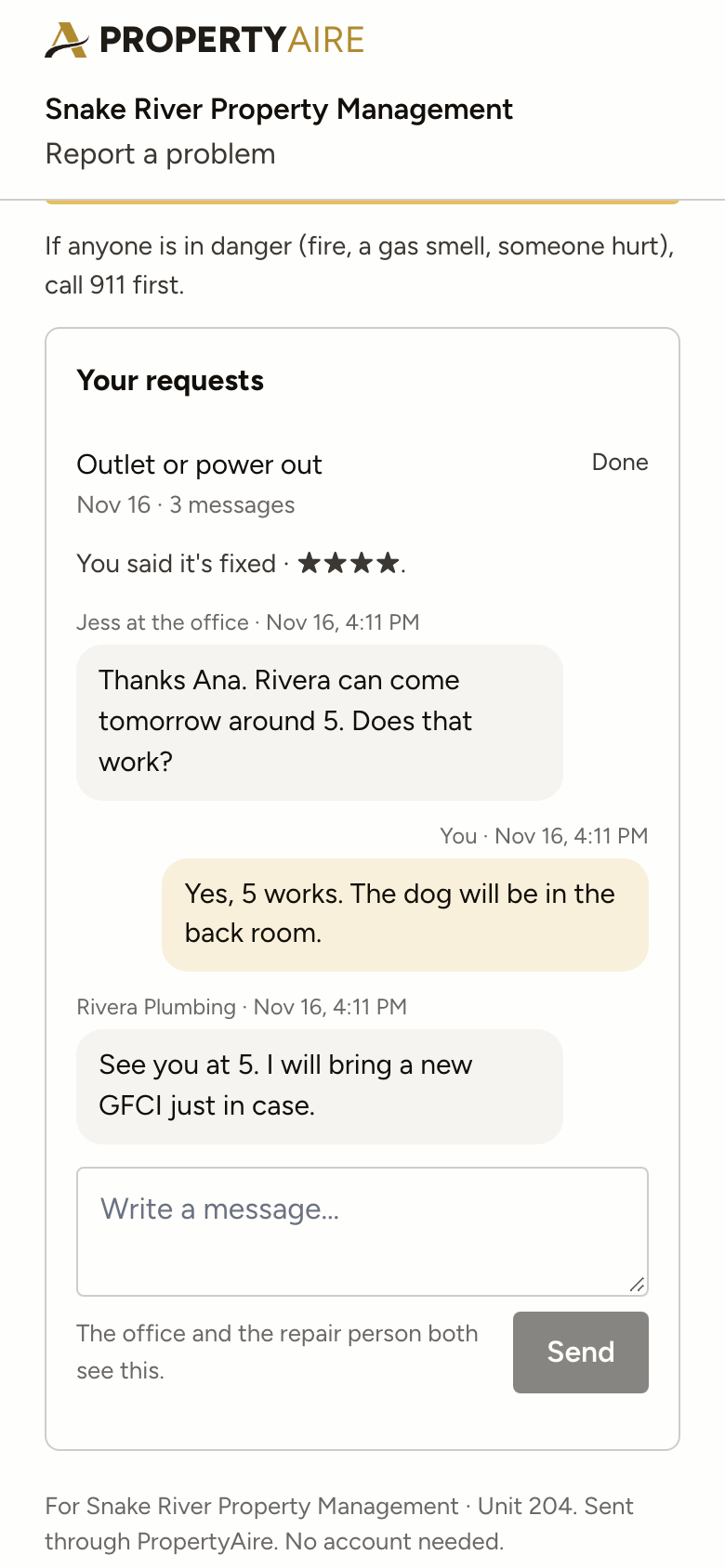
A QR code on the fridge or in the lobby opens their unit’s page. They say what’s wrong, try what usually fixes it, and send it if it didn’t. Later the same page shows the visit, the messages and one question: is it fixed?
  • Type it, or say it out loud
  • Photos from the phone’s camera
  • When they’re home, pets and permission to enter
  • Printable QR cards for every unit
The resident’s page: what needs fixing, with Say it instead and Add photosThe resident’s page later: their request, done, with the messages and their rating
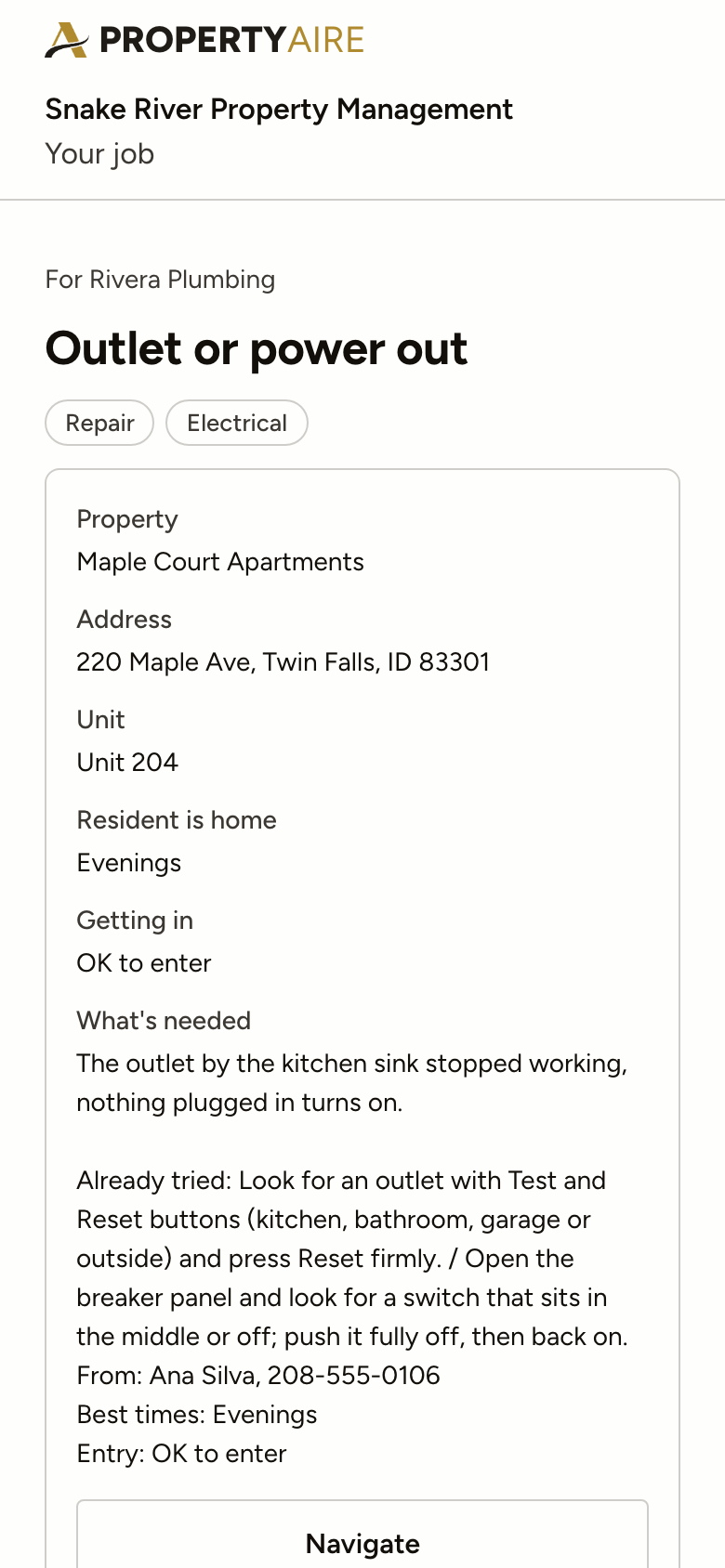
The vendor’s job page on a phone: the property, the unit and the residentThe vendor’s job page: messages with the office and the resident

For vendors

A link, not another login

No app to download
The job arrives by email as a link. They open it on their phone and see the work, the photos and how to get in.
Accept and say when
They accept with an arrival time, and the resident hears it. Pets and permission to enter show before they accept.
Check in, finish, bill
Check in on site, finish with notes and photos, send the bill. Over your not-to-exceed, they have to say why.
Their track record
Every “Is it fixed?” and star rating adds up on your Vendors page, so you know who to send next time.

Any size

One building or a few hundred doors

One building

An apartment building, a small office or a shop. Add it, add its units if it has them, print the QR codes.

A complex

Buildings A through F, each unit named the way your residents say it (“Building B, 204”).

Scattered homes

Single-family rentals across town, each with its own address so the closest vendor gets the job.

Buildings you own

Offices, clinics or retail you look after yourself. No residents to manage, just the work and the equipment history.

Getting started

Ready the same afternoon

  • Sign upWith your name, your company and an email.
  • Add your propertiesType them in, or import your rent roll.
  • Add your vendorsWith their trade, the zips they cover and their insurance.
  • Print the QR codesOne card per unit. Residents can report from tonight.

Questions we get asked

Do residents need an app or an account?

No. Each unit has its own link and QR code. A resident scans it, describes the problem and sends it. Nothing to download and nothing to sign in to.

What happens with an emergency?

A fixed list of words (gas, smoke, fire, flooding, no heat in winter and the like) is checked before anything else, every time. The resident is told to get safe and call 911 when someone’s in danger, the repair is marked urgent, and your office is alerted right away. Software can add to that list but never clear it.

How do vendors get the job?

By email, as a link to the job. Only vendors you approved, who do that trade, cover the address and have current insurance on file can get one. Urgent jobs go to all of them at once; standard jobs go to your preferred vendors first.

Can I bring my units in from a spreadsheet?

Yes. Import your rent roll as a CSV: units, residents, several residents per unit, buildings and addresses.

How do residents hear back?

By email: when it’s scheduled, when someone’s on the way in, when it’s done, and whenever your office or the vendor writes to them.

I own one building. Is this for me?

Yes. One property is fine, and a commercial building skips residents altogether. It leads with the open work and the equipment.

Part of the family

From the team behind ProjectAire

PropertyAire runs on the same platform as ProjectAire, the construction management software, and ServiceAire, for service businesses. Built in Idaho by people who build and fix buildings.

PropertyAire vs. Property Meld →

Fewer calls. Faster fixes.