

Safety

Toolbox talks, inspections and certs, on the record.

Run the Monday toolbox talk with a QR code instead of a clipboard. Walk the weekly safety inspection on your phone and turn every at-risk item into a fix with an owner. Know whose certificates run out before they do.

Toolbox Talks: Free for everyone · Inspection: 43 items, OSHA 1926
  • 1Pick this week’s topic
  • 2Everyone signs in from their phone
  • 3Finish, and it’s written down
  • 4Next week’s is already scheduled
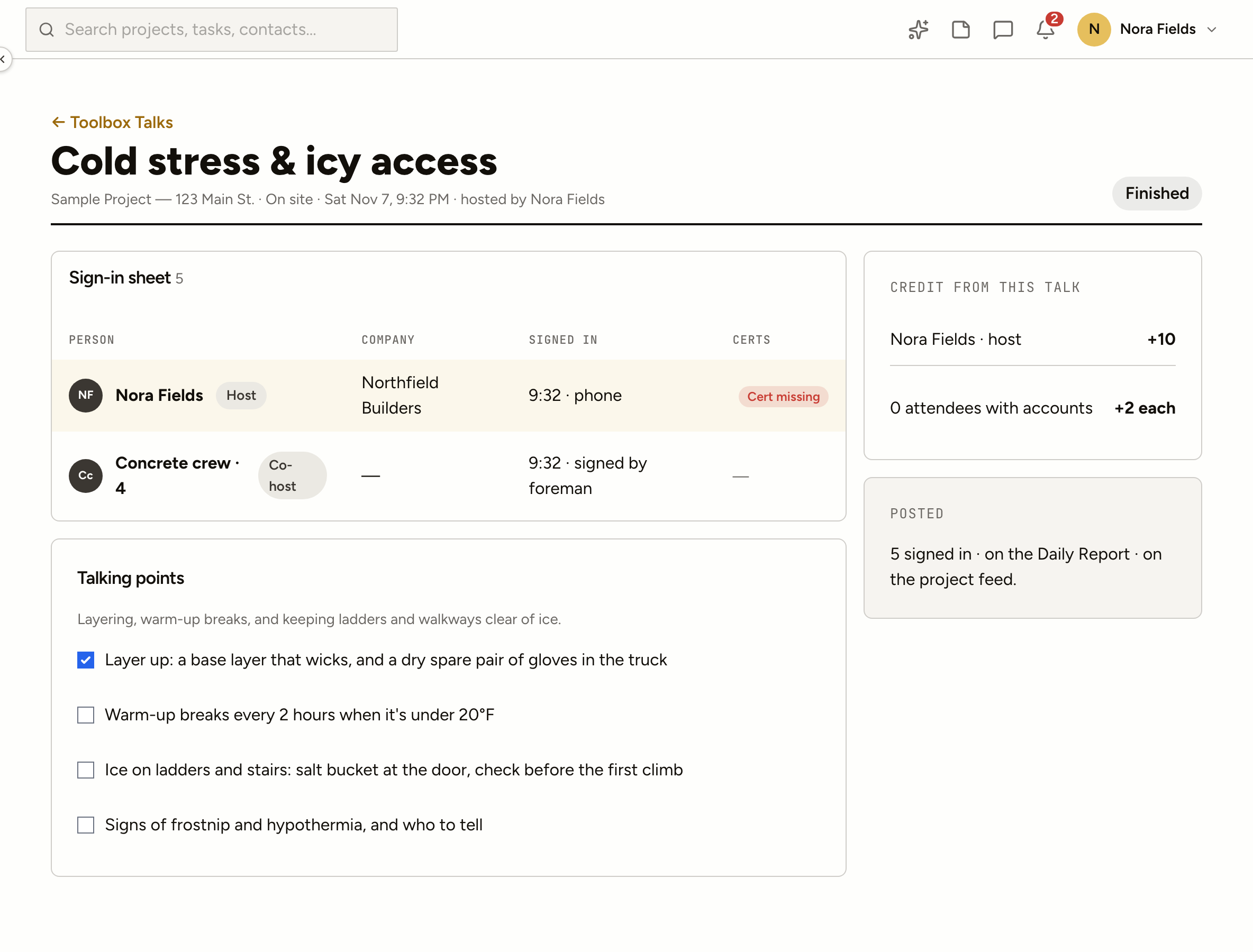
A ProjectAire toolbox talk: the topic, the QR code to sign in and the crew signed in so far

Toolbox Talks

Five minutes on Monday, kept for good

  1. 1Pick this week’s topicFrom a library of thirty, suggested from the weather and what’s on the schedule for the next seven days, or bring your own.
  2. 2Everyone signs in from their phoneScan the QR code, or sign in a foreman’s whole crew as one line with a headcount. Walk-ups and a photo of a paper sheet count too.
  3. 3Finish, and it’s written downAutomaticA line goes in that day’s daily report and a post on the project feed. Anyone invited who missed it gets 24 hours to sign a make-up.
  4. 4Next week’s is already scheduledAutomaticSet it to repeat and the next talk is on the calendar with the same crew invited.

Jobsite inspections

The weekly walk, scored

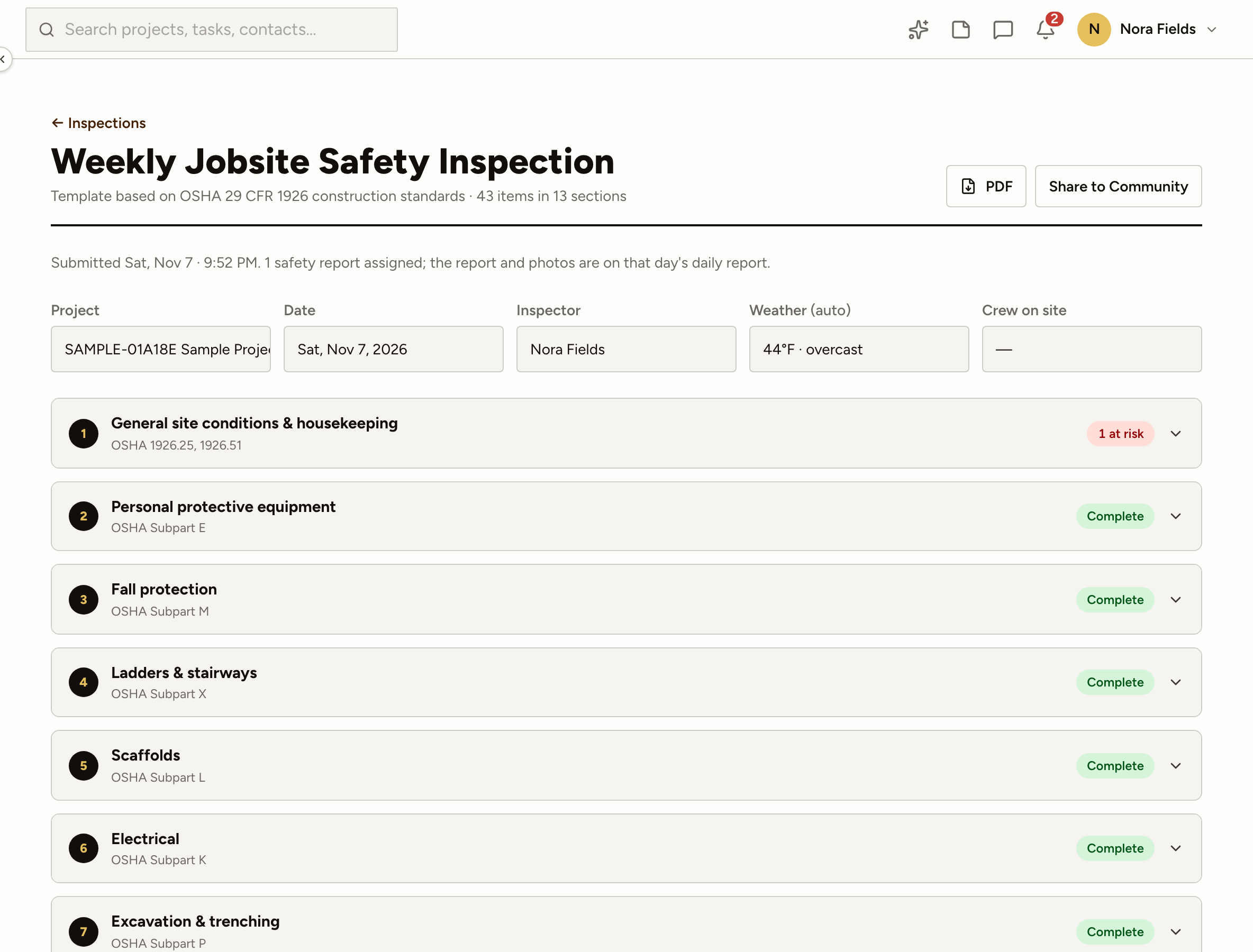
Answer each item as you walk. The score is safe items over everything you scored, and every at-risk answer leaves with someone’s name on it.
  • Photos required where an item asks for one
  • Signatures from the inspector and the foreman
  • Share the score with the Community when it’s a good one
A ProjectAire jobsite safety inspection: sections with safe and at-risk answers, photos and a score

What the inspection does after you sign it

The weekly jobsite inspection

Forty-three items in thirteen sections, each tied to its OSHA 1926 reference. Safe, at risk or not applicable.

Built for a phone on site

Weather and crew on site fill in on their own, answers save as you go, and photos go on the item they show.

At risk becomes a fix

Each at-risk answer becomes a safety report with an owner and a due date: today, before work tomorrow, or in 48 hours.

Stop work means stop

Fall protection and electrical items default to stop work. The superintendent hears at once and the job shows a banner until the fix is verified.

Repeat findings get flagged

The same item at risk on two of the last four inspections is marked as a repeat, against the company responsible.

Signed and filed

The inspector and the site foreman sign on the phone; the PDF and photos land on that day’s daily report.

Certifications

Nobody on site with a lapsed card

  • What each job requiresSet the certificates everyone needs, the ones a role needs, and the ones a project needs. Each person sees their own list.
  • Current, expiring, expiredStatus by date, with reminders 60, 30 and 7 days out, and once on the day it lapses.
  • Checked at sign-inA missing or expired certificate can flag the daily report sign-in, or stop it, project by project.
  • One matrix for the companyPeople against certificates, your own and your trade partners on your jobs, with training on a calendar.

Questions we get asked

Are Toolbox Talks free?

Yes, for everyone, with or without a company. A talk on a project with three or more people signed in counts on the host’s record.

Which inspection templates are there?

The weekly jobsite safety inspection is ready to use. Companies can copy it and make their own versions; every inspection keeps the version it was done with.

Does this make us OSHA compliant?

No software does that on its own. ProjectAire keeps the record: who was trained on what and when, what was found, who fixed it, and who verified the fix.

Who sees a person’s certificate number?

The person, admins at a company they work for and the companies running a project they’re on. Everyone else sees the last four digits.

Do incident reports and OSHA logs come with it?

Not yet. They’re on the way, and show as coming soon in the app.

Run next Monday’s talk on it. Free.