

The whiteboard
The real plan lives on a board in the office. Out on site it’s a blurry photo somebody texted on Sunday night.
Plan your self-perform crews on one board across every job, by crew or by person. Publish the week and everyone gets their days. No whiteboard photos, no 9 p.m. group texts.
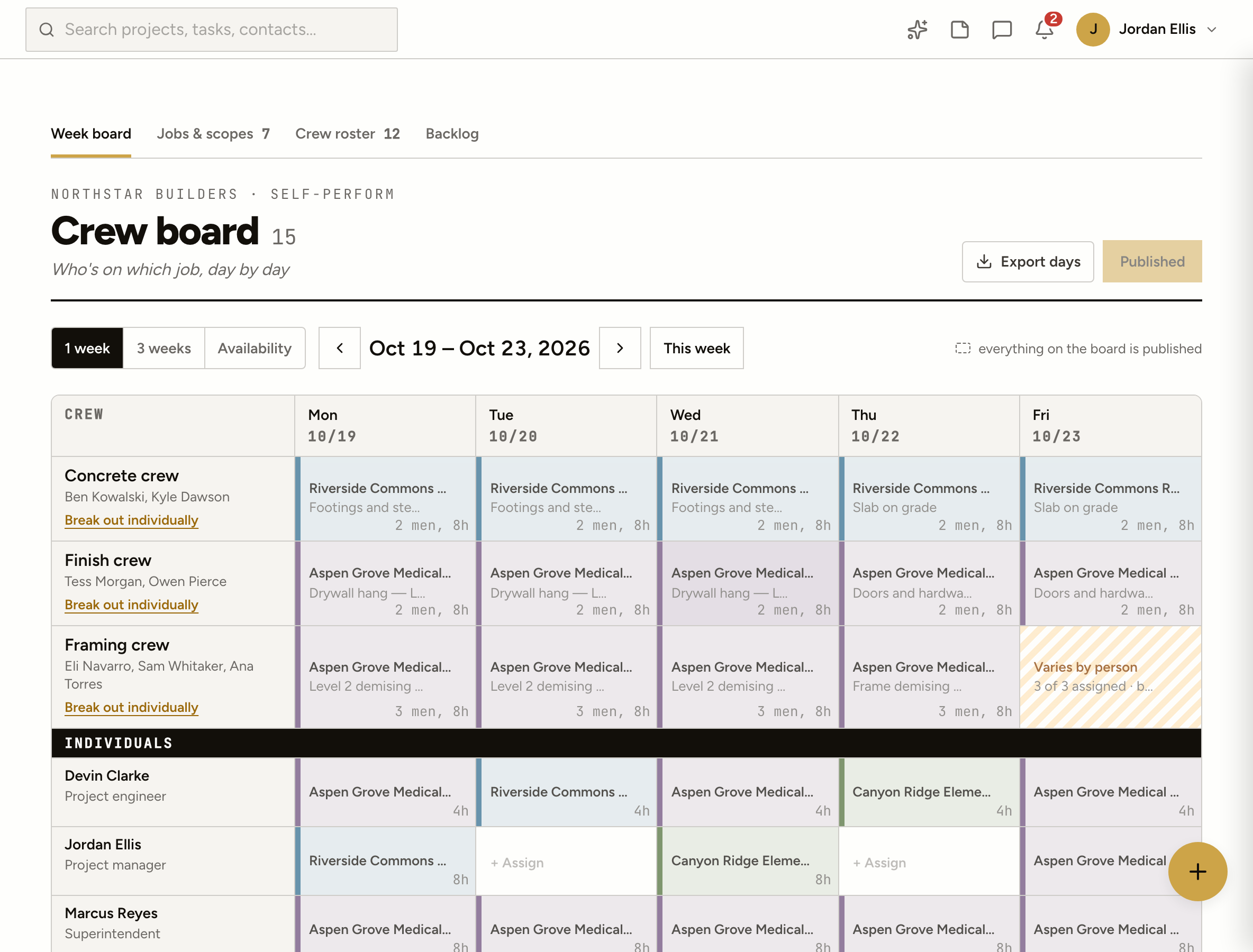
The real plan lives on a board in the office. Out on site it’s a blurry photo somebody texted on Sunday night.
Changes go out one message at a time. Somebody misses one, and a carpenter drives to the wrong job at 6:30 a.m.
Is there room on Riverside next week? How many hours have we really put into the framing? Nobody knows without a spreadsheet.
How it works
Everyone on your Directory team shows up on the roster. Add labor subs by hand with their headcount, trade and rate, and group people into crews.
A crew is one row, so the framing crew goes on Aspen Grove in one move. When the crew splits up for a day, break it out and place people one by one.
Point a day at a scope, a look-ahead activity, a task or a punch item, so everyone knows what they’re there to do, not just where.
Publish the week and each person with a login gets their own days by notification and email, and sees them in My Stuff. Change a day later and it’s marked unpublished until you send it again.
Jobs & scopes
Break each job into scopes with the crew size and days you planned. The board keeps score: hours scheduled against the plan, and how many people are on each job this week.
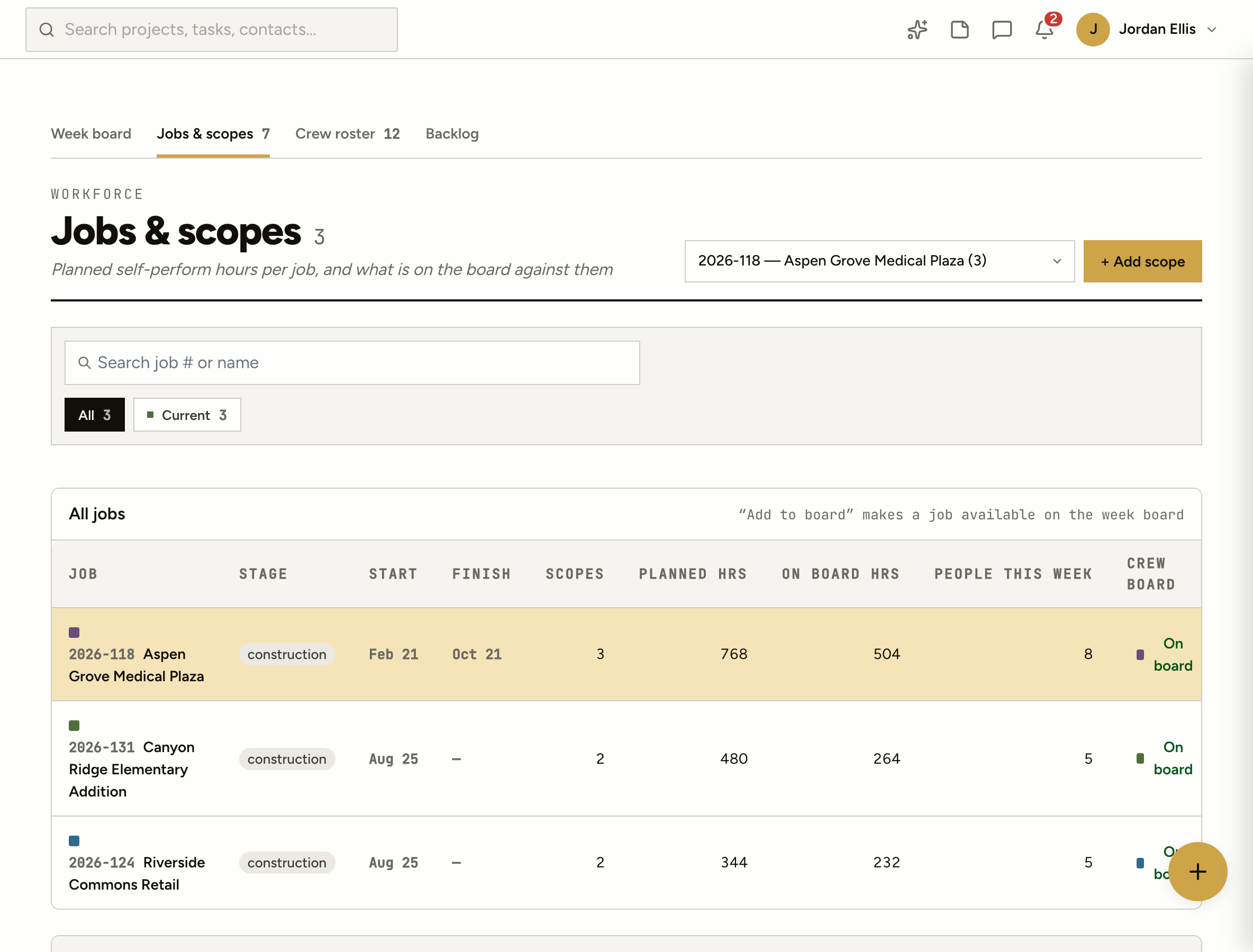
Plan this week in detail and see what’s lined up for the next two at a glance.
Open hours for every person and crew each day, with the people still free listed underneath.
Open scopes, activities, tasks and punch items that nobody is scheduled on from today on.
Headcount on every row, billed per person or per crew, so man-hours and cost come out right.
Download the schedule for the span you’re looking at when payroll or the owner asks.
“Who’s free Thursday?” or “Put the concrete crew on Riverside Monday.” Answered from the board, confirmed by you.
No. The crew board is the plan: who should be where, doing what. It totals planned man-hours and cost, but hours worked and pay stay with your payroll and accounting software.
No. Anyone can be on the board. People with a ProjectAire login get their days sent to them when you publish; everyone else you can reach with an export.
No. The board sits beside the look-ahead, not inside it. A crew day can point at a look-ahead activity, but scheduling a crew never moves your schedule bars.
Yes. Add a labor sub as a row with a headcount, like “Valley Labor, 4 people,” and choose whether their rate is per person or per crew.
Jobs under construction start on the board. Pipeline and pre-construction jobs are added with one click from Jobs & scopes when you need to staff them.