

Runs as you
Airen uses your permissions on every lookup. A superintendent and a client asking the same question get different answers, because they can see different things.
Airen is the assistant built into ProjectAire. Ask what’s late, snap a photo, or just say what needs logging. It looks things up across your projects and drafts the task, punch item or RFI. Nothing changes until you confirm.
What you can ask
Ask about one job or all of them. Airen knows which project you’re looking at and which record you have open, so “this” means what you think it means.
How it works
Type it, say it into the mic, or attach a photo from the site. “What’s slipping this week?” works. So does “log this” with a picture of the problem.
It reads tasks, punch, RFIs, submittals, daily reports, the schedule and the crew board across your projects. It sees exactly what you can see in ProjectAire, and nothing more.
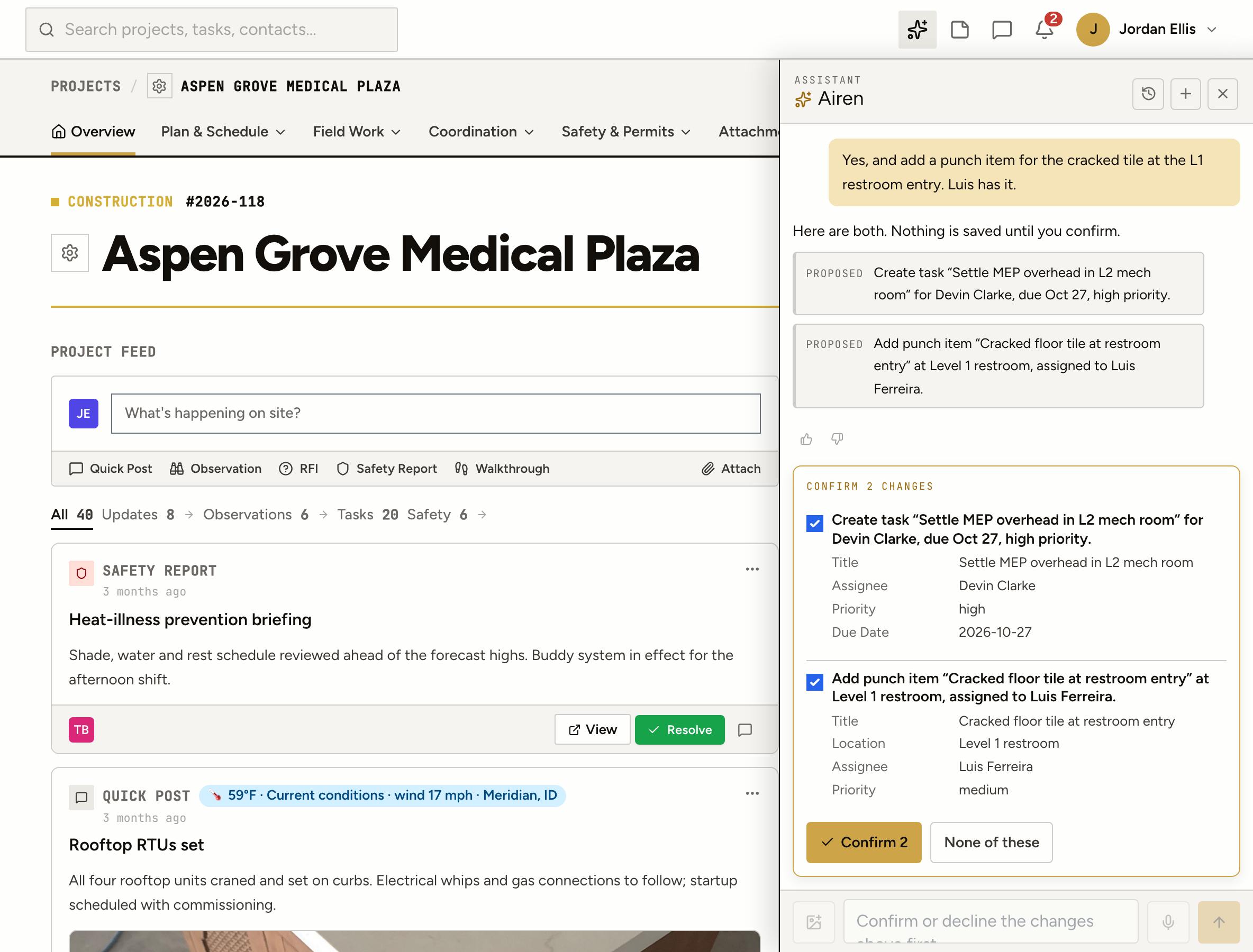
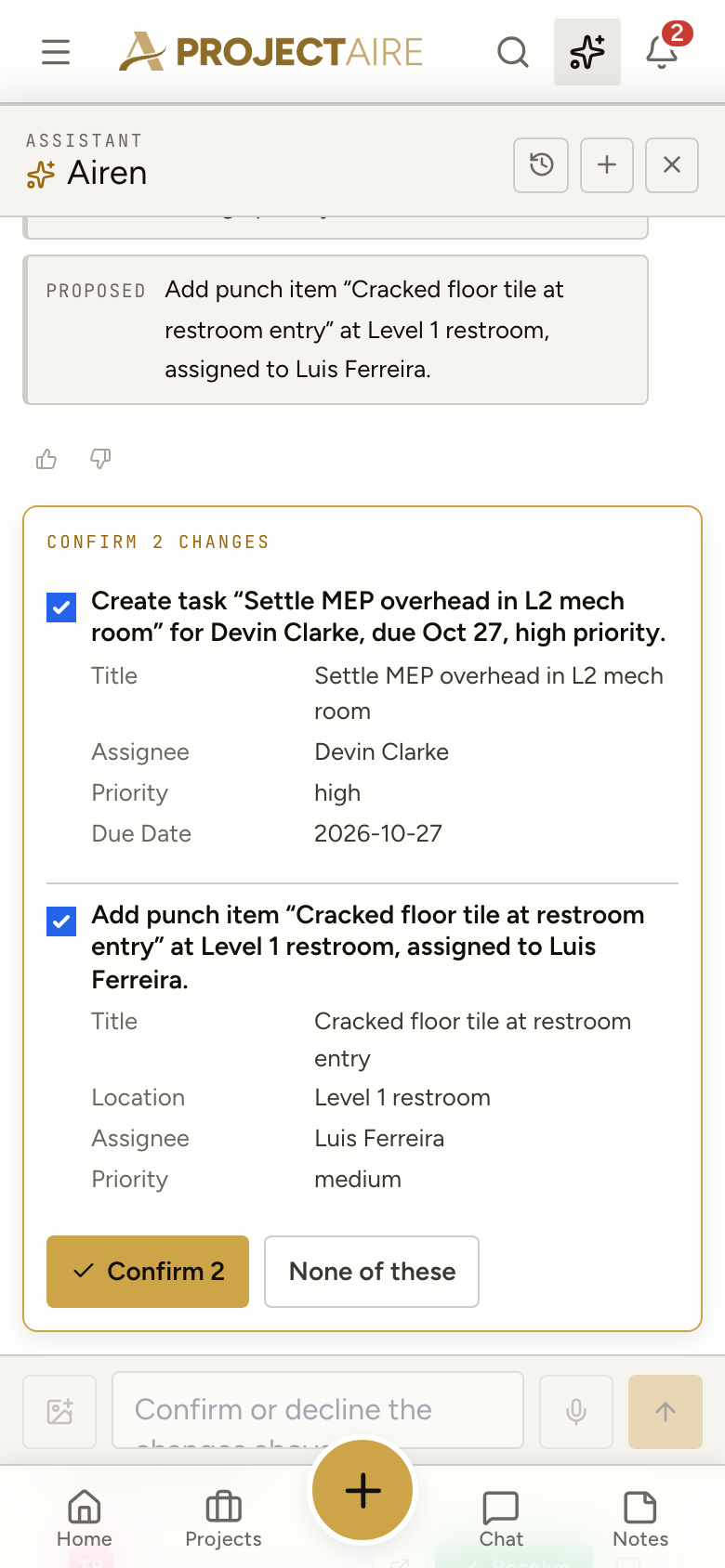
Anything that would create or change a record comes back as a confirm card: what, where, who, when. Confirm all of it, some of it, or none of it. Nothing is saved before you say so.
A confirmed task or punch item is numbered, notifies the assignee and lands on the record exactly as if you’d filled in the form yourself. The change is logged with who asked for it.
From the field
Airen works the same on a phone. Talk instead of typing, attach the photo you just took, and confirm the card before you walk back in.
Airen uses your permissions on every lookup. A superintendent and a client asking the same question get different answers, because they can see different things.
Reads happen on their own. Every write stops at a confirm card first, and several changes in one answer come back as one checklist.
Airen can add and update work items. It can’t delete records, publish to clients, or touch account settings or billing. Those stay with people.
Each confirmed change is kept with who asked, what was proposed and what was saved, so the history reads the same as any other edit.
Schedule and crew board
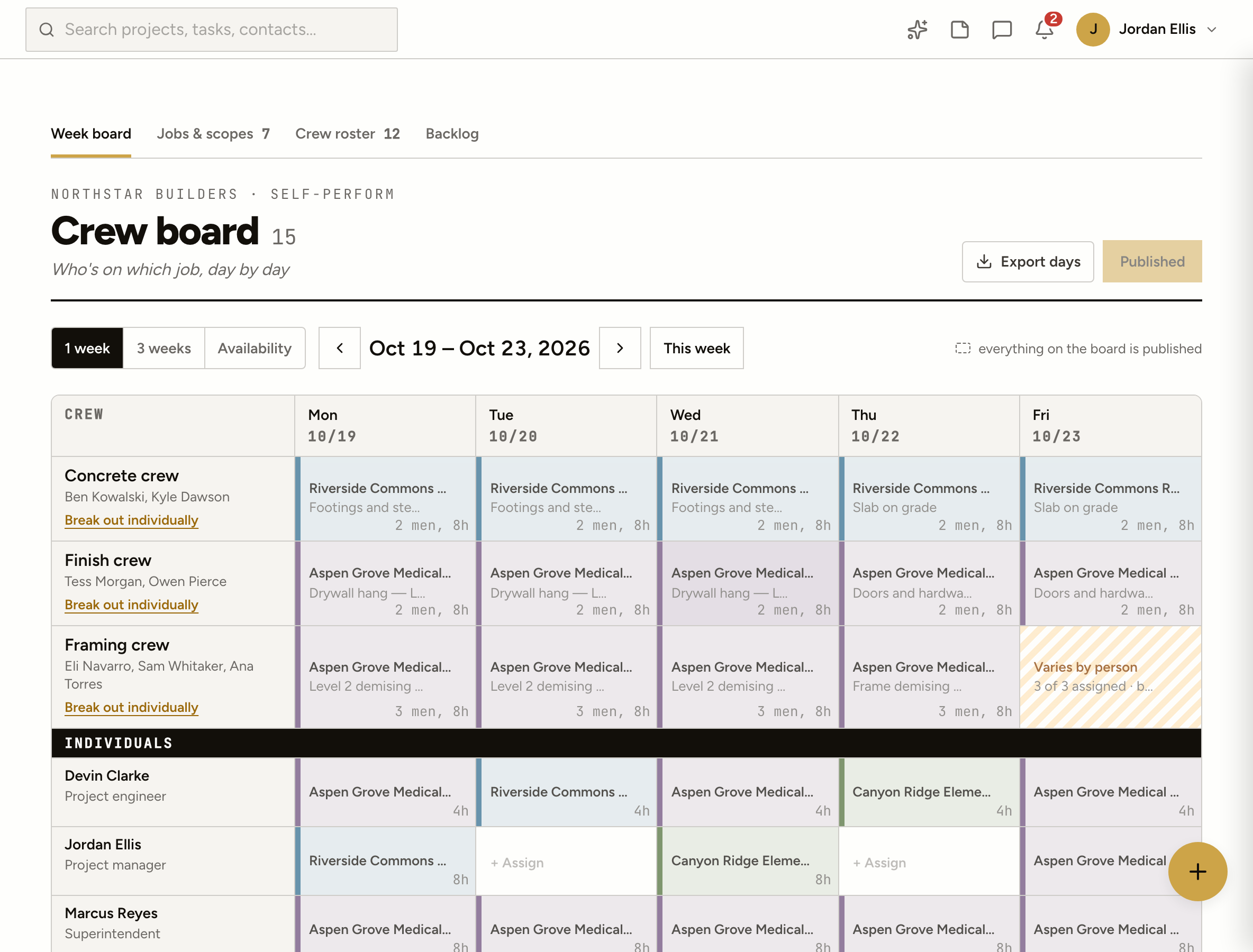
Ask who’s free, what’s on the look-ahead, or what came out of yesterday’s walkthrough. Airen reads the same records your team does, so the answer is the board, not a guess.
Airen runs on Claude, Anthropic’s AI model, connected to your ProjectAire data through the same permissions you use every day.
No. Every lookup runs as the person asking, inside their account and the projects they’re on. It can’t reach anything you couldn’t open yourself.
No. Questions are answered straight away, but anything that creates or changes a record waits on a confirm card. Decline it and nothing is saved.
Yes. Open Airen from the top bar, talk instead of typing, and attach photos straight from the camera. Photos you attach can be added to the item it creates.
Yes. Standing instructions on your profile (“always assign drywall punch to Owen”) and on each project are part of every conversation, so you don’t repeat yourself.
An optional summary sent at the hour you choose: what’s due, what’s late and what’s waiting on you. Turn it on under Profile → Airen, or ask for one now.