

The whole punch list
Open, Work required, In review, Not accepted, Resolved and Closed, with a live count for each and overdue at the top.
Log items by location with a photo from your phone, assign the trade, and walk each one to Closed. Free for good, for you and your subs. No credit card.
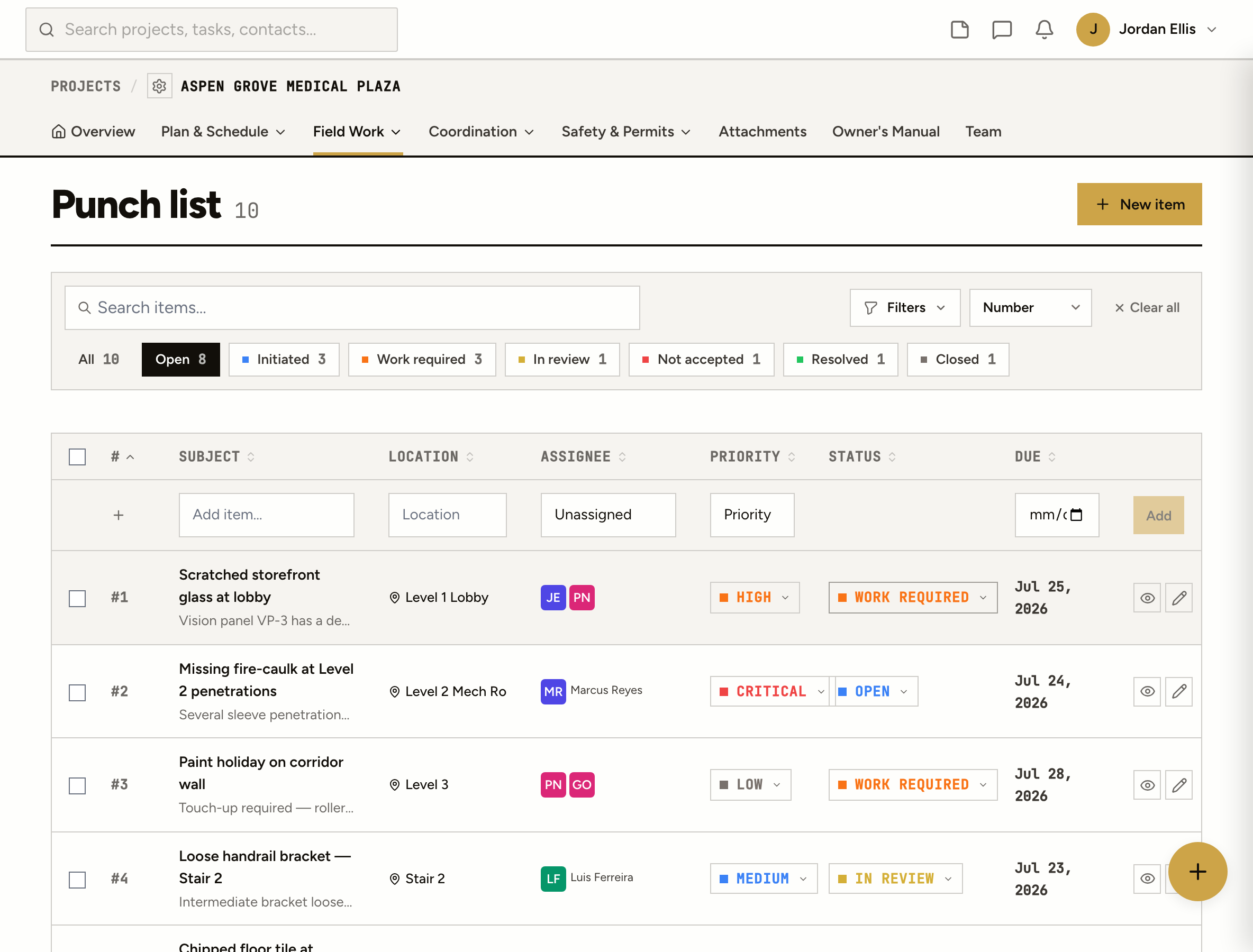
Open, Work required, In review, Not accepted, Resolved and Closed, with a live count for each and overdue at the top.
Pictures straight from the camera onto the item, and comments with @mentions where the item is.
Invite your team and your subs to the job. Nobody needs a paid seat to see and close their items.
Import the punch list you already have from a spreadsheet (CSV), and export it any time.
How it works
Sign up with your email and the job you’re punching. You land on its punch list, ready for the first item. No card, no sales call.
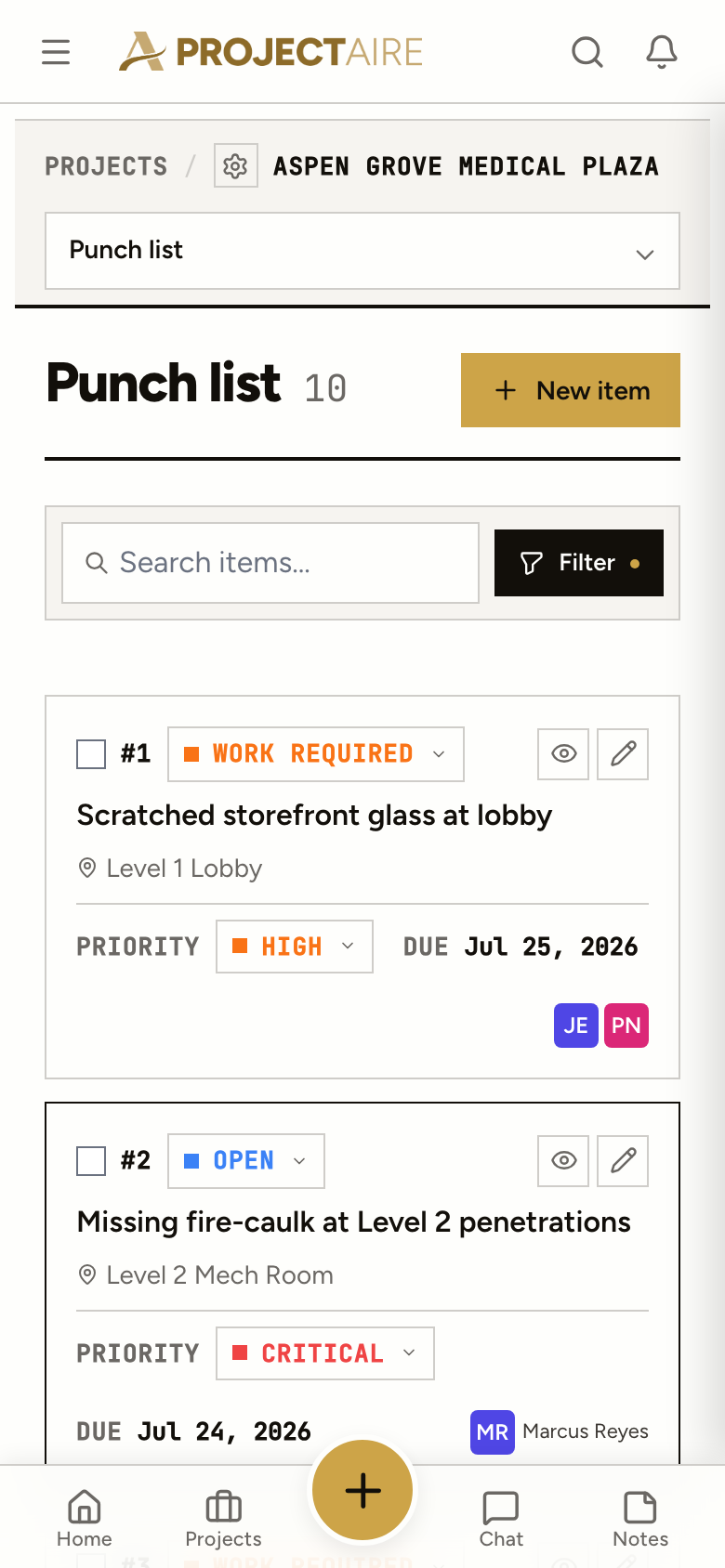
Tap New item, take the picture, add the location, the trade and a due date. It runs in your phone’s browser and installs to the home screen.
Assignees are notified when an item is logged and every time it moves. Invite your subs to the job; they don’t pay anything either.
Done work goes to In review. Accept it, or mark it Not accepted with a comment and a photo of what’s still wrong. Every change is stamped with who and when.
On the floor
Open the job, tap New item, take the picture. The status is one tap. Nothing to install and nobody to train.
Yes. The free punch list has no trial clock and no credit card. You can keep a few jobs active at once; archive a finished job to start the next one.
Up to the number shown on this page at the same time. Archived jobs don’t count, and you can open them any time.
No. Invite them to the job and they see the items assigned to them, add photos and comments, and mark their work done.
It runs in your phone’s browser and installs to the home screen like an app. There’s nothing to download from an app store.
All of ProjectAire on the same jobs: tasks, RFIs, submittals, daily reports, plans with markups, narrated site walks that draft punch items, and closeout. Your punch items stay right where they are.
Yes. Save it as CSV and import it. You see a preview of every row before anything is created.