

The warranty in a binder
The roof warranty is in a three-ring binder in the owner’s maintenance closet. Or it was, before the facilities manager changed.
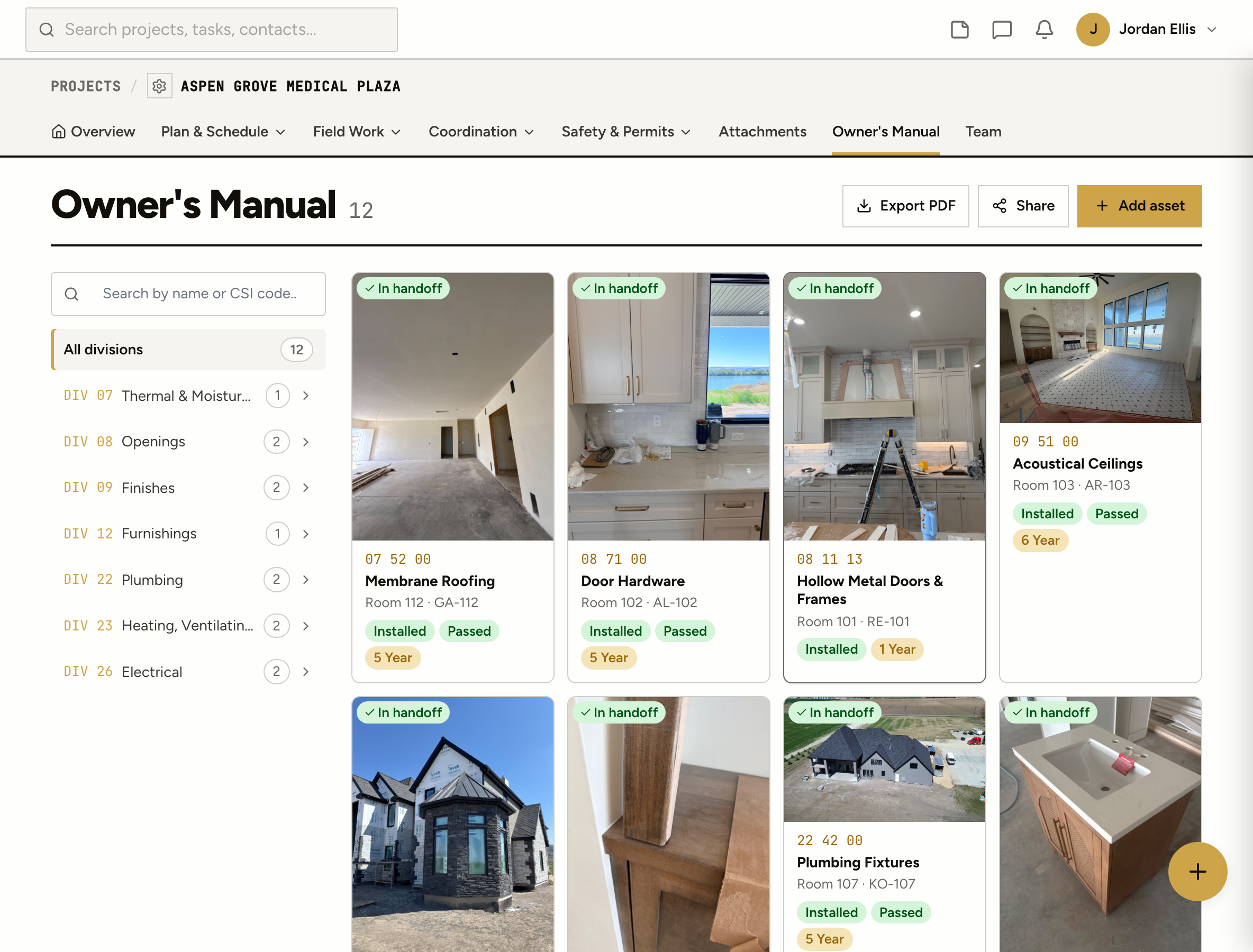
List the building’s equipment by CSI division as it goes in, attach the warranty and the O&M manual, and hand the owner a record they can actually search.
The roof warranty is in a three-ring binder in the owner’s maintenance closet. Or it was, before the facilities manager changed.
RTU-3 is down. Who installed it, when, and is it still under warranty? The answer is in an email from two years ago.
The sub sent the O&M PDF the week before turnover. It went into a folder called “closeout misc”.
How it works
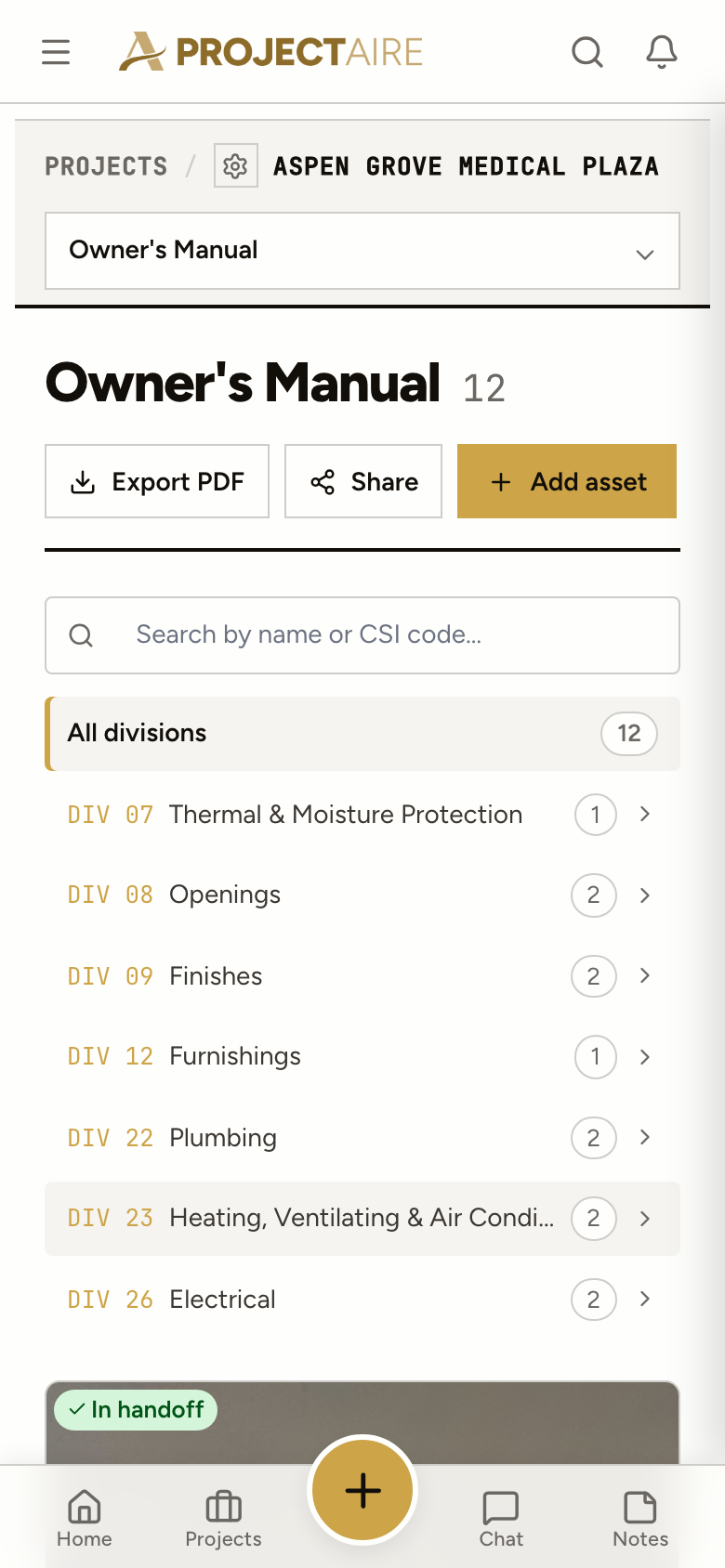
Add each asset under its CSI division: the manufacturer, model, installer and supplier, then each unit with its location, tag, serial number and install date.
Record each warranty with its type, coverage, term, start and end dates, the provider and who to call for a claim. Attach the O&M manual and other documents to the asset.
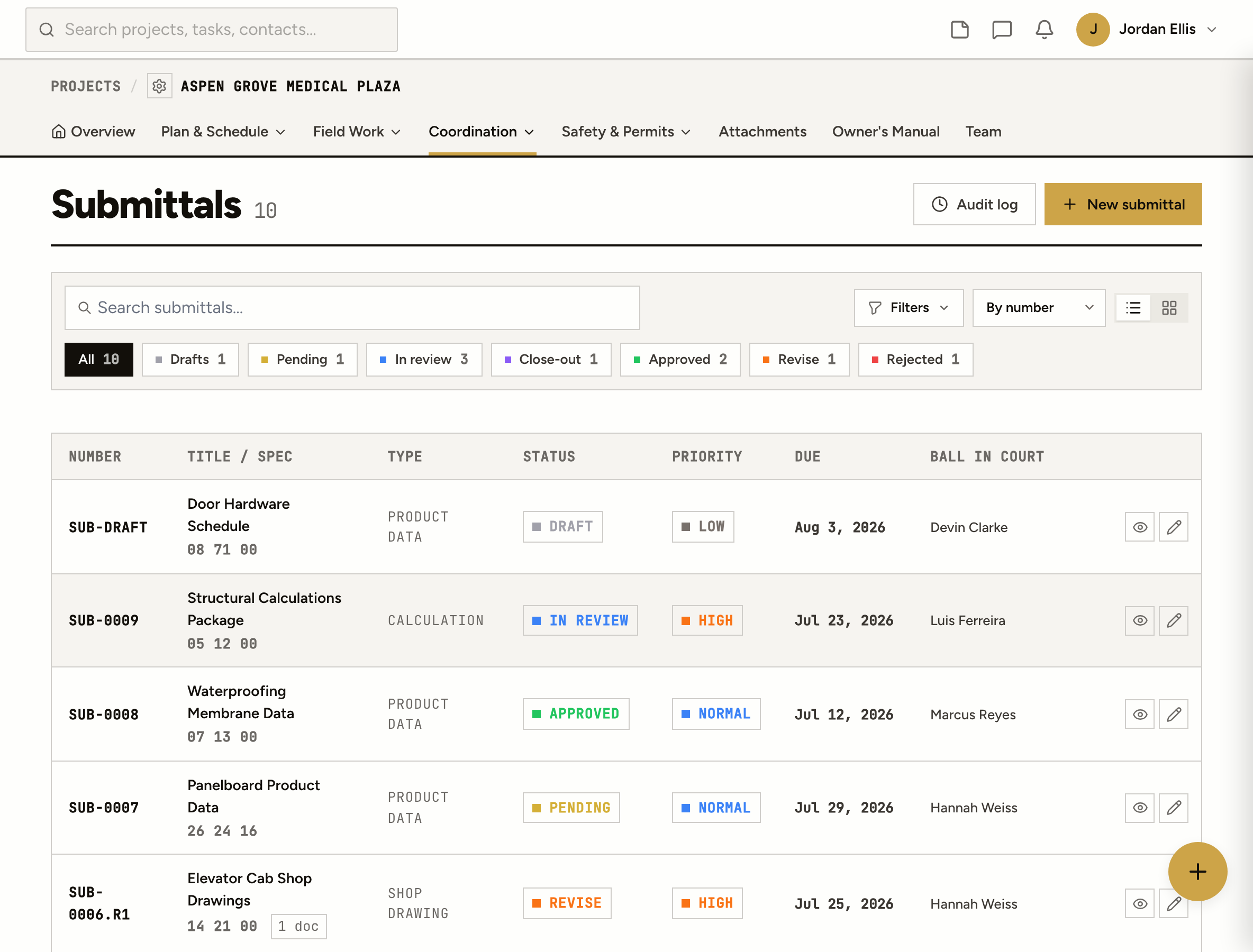
Tag the approved submittal, the RFI, the punch item or the task to the asset it was about. Each of those pages shows the link back.
Toggle which assets go in the handoff. The owner gets a PDF with photos and the certificates of occupancy, and a link they can open without a login.
Every warranty has a start and end date, and one past its end date is marked Expired, so a dead warranty never reads as live.
One asset type, “Interior doors”, with each physical unit under it: room, tag, serial number, install date.
Who inspected it, when, and the result: passed, failed, conditional or pending, with the report attached.
Import assets from a CSV and export them any time.
For the owner
The owner’s link works on a phone without an account. Find the equipment, see whether the warranty is still good, and know who to call.
From the job
Tag the submittal for the rooftop units to the rooftop units. When the owner opens the asset, the approved product data is right there with the warranty.
The operation and maintenance manual: the documents an owner needs to run and maintain what was installed, from equipment data and maintenance schedules to warranties. ProjectAire files them against each asset.
Add each warranty to the asset it covers with its type, coverage, term, start and end dates, the provider and the claim contact. Warranties past their end date are marked Expired.
A PDF of the assets you chose to include, with photos and the certificates of occupancy from permits, and a login-free link to the same record. You can allow downloads, set an expiry and revoke the link.
Your admins, who put it together, and the client, who reads it. Other team members and subs don’t see it.
Yes. Add assets whenever you like, or import them from a CSV. Tag the submittals and RFIs you already have to them.
Not yet. Each warranty shows its end date and is marked Expired once it passes, on the asset and in the handoff.