

The shared drive
Shop drawings in one folder, product data in another, the architect’s markup in an email. Which version got approved?
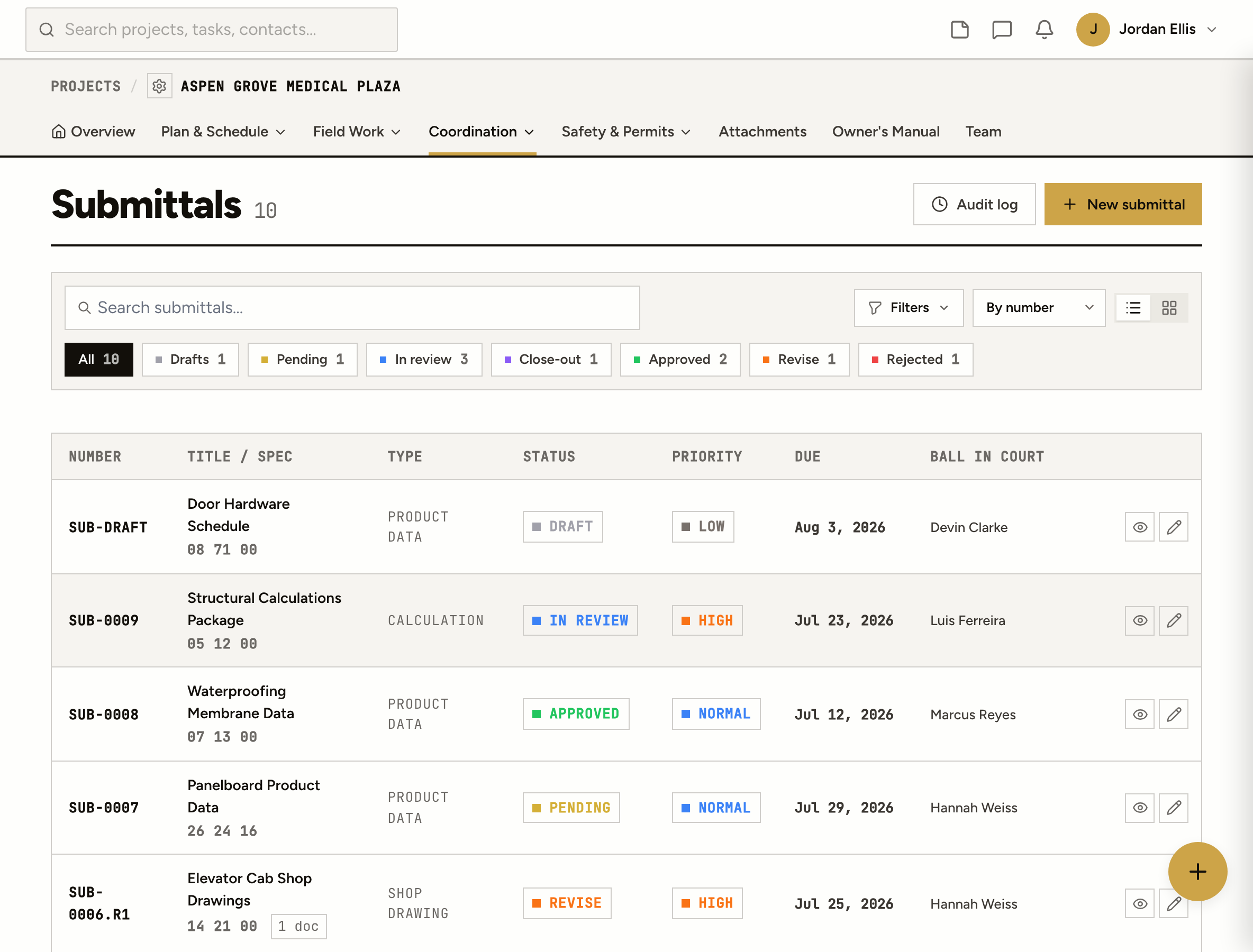
Issue, review and close out submittals with one designated reviewer, revisions nested under the original, and a stamped decision on every one.
Shop drawings in one folder, product data in another, the architect’s markup in an email. Which version got approved?
Revise and resubmit came back. Now there are two submittals with two numbers, and the history of the first one is somewhere else.
The elevator cab drawings sat on a reviewer’s desk for three weeks. Nobody knew until the supplier called about the ship date.
How it works
Create the submittal with its type, spec section, due date and required-on-site date. Issue it to the contractor who owes it, and they get the ask with the details attached.
Your manager checks it first and can send it back before it wastes the architect’s time. Then it goes to one designated reviewer, on your team or the design team, with a due date of their own.
Approved, approved as noted, revise and resubmit, rejected, or for record only. The reviewer can attach their marked-up file, and the decision is stamped with who and when.
The decision comes back to the manager, who closes it out to the distribution list or returns it to the sub. Every step notifies whoever holds the ball next.
A resubmittal is SUB-0006.R1, not a new number. The whole history of a submittal reads in one place.
Shop drawing, product data, sample, mix design, test report, calculation and general. Add or rename types per project.
Submittals that don’t need a review go on record in one step, without the four-step workflow.
Every move, every decision and every file, with who and when, on one page per project.
On a phone
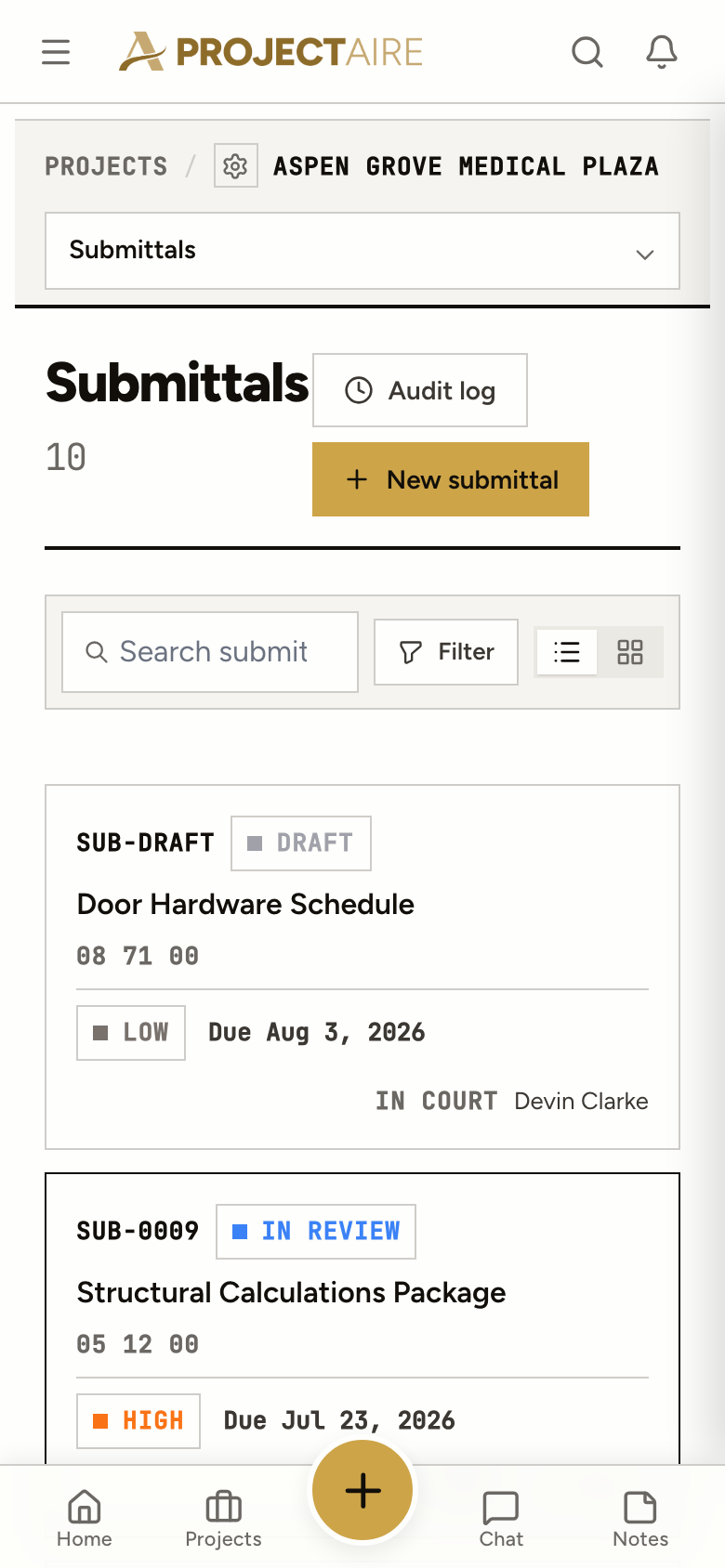
The submittal log works on a phone the same as at the desk. Status counts across the top, overdue in red, and the person holding each one.
At closeout
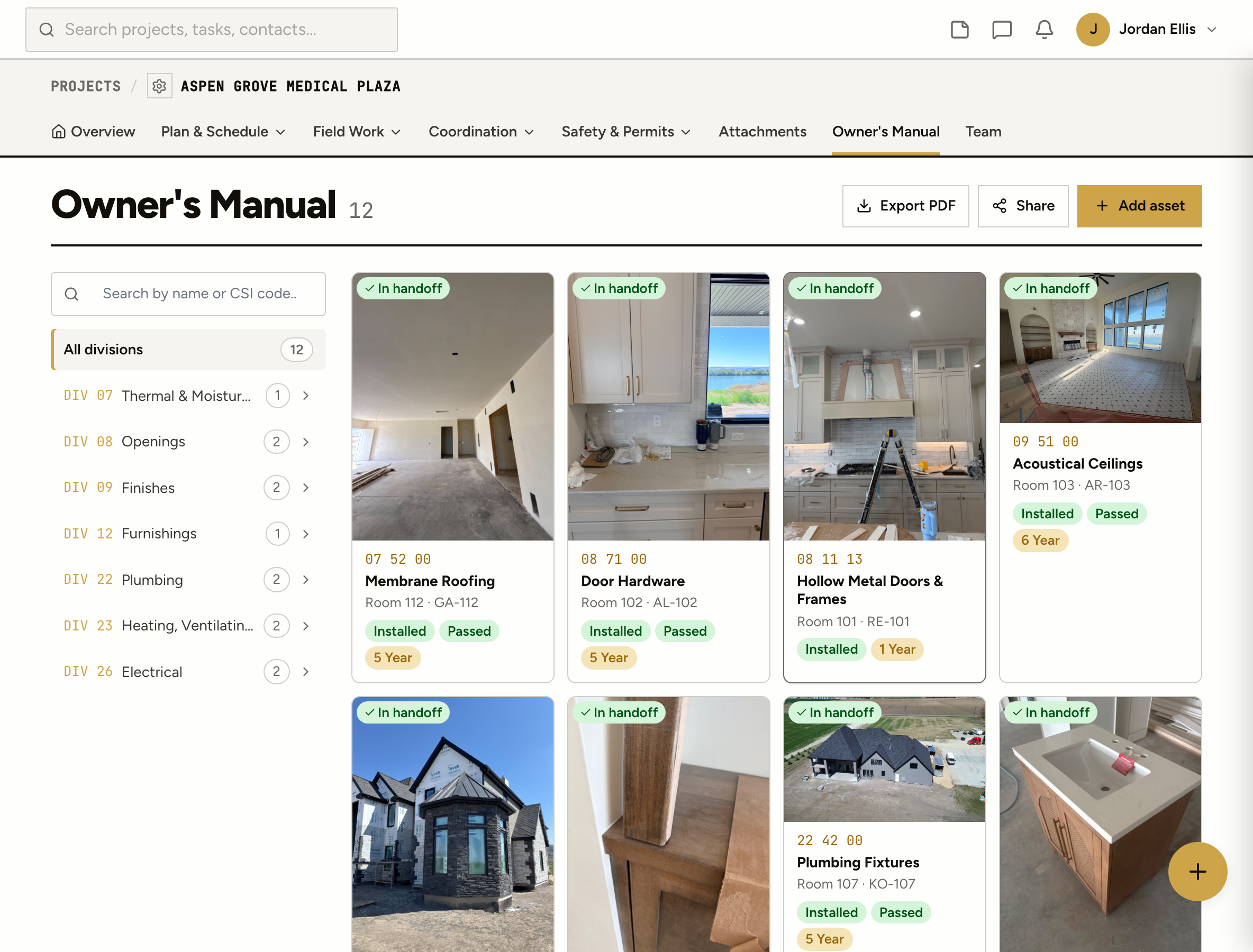
Tag a submittal to the equipment it covers. When you hand the job over, the approved data is filed with the asset in the Owner’s Manual, not in a folder you sort through the last week.
Approved, approved as noted, revise and resubmit, rejected, and for record only. The reviewer doesn’t close it: the decision goes back to your manager, who closes and distributes it or returns it to the sub.
They keep the original number with a revision on the end: SUB-0006 becomes SUB-0006.R1, then R2. The number prefix is set per project, and numbers are never reused.
Yes. Make the architect or engineer the designated reviewer. They can be on your team or a client on the project, and they sign in to review.
Each submittal has one designated reviewer, after your own manager’s review. That keeps the ball in one court at a time.
Yes. Import a CSV and check the preview first. Imported submittals land as drafts, so nothing goes out until you issue it. Export the log to CSV any time.
Tag a submittal to an asset in the Owner’s Manual and the approved product data goes to the owner with the equipment it covers.