

The whiteboard in the trailer
Three weeks of work in dry-erase marker. It’s right until somebody leans on it, and nobody off site can see it.
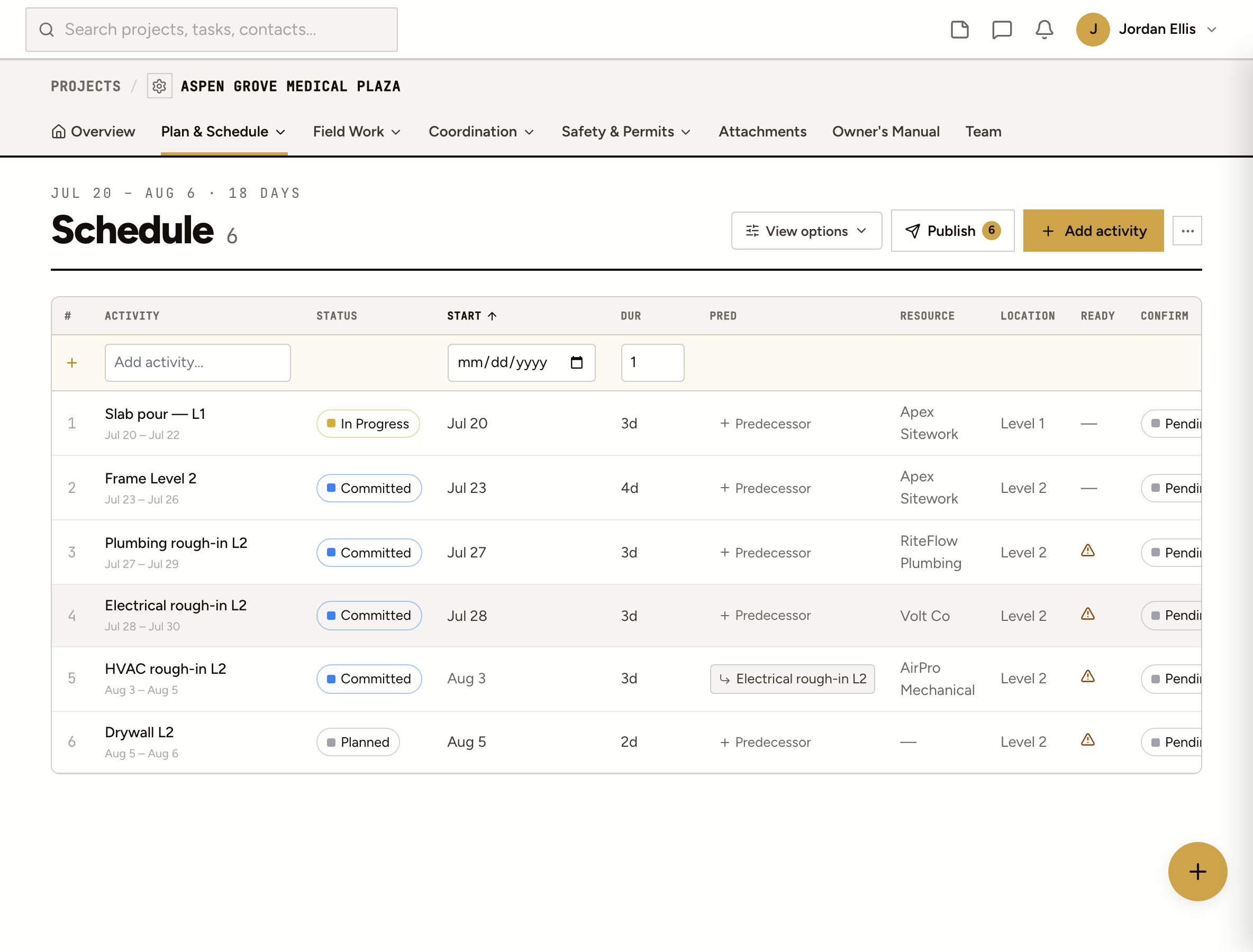
Plan the next three weeks by trade and location, publish it, and every company confirms its dates on a link. When work runs late, the schedule asks them why before you have to.
Three weeks of work in dry-erase marker. It’s right until somebody leans on it, and nobody off site can see it.
You sent the look-ahead on Friday. The drywall sub read it Monday morning, after his crew was already somewhere else.
The activity went red two weeks ago. Nobody asked the sub why, and the next three trades are waiting behind it.
How it works
Add activities with the company or crew, the location, a start and a duration. Or pull them in from the tasks, RFIs, submittals, punch items and permit inspections already on the job.
An activity can wait on several others, each with its own lag. Move one and everything after it moves too, skipping weekends and holidays on the project’s work calendar.
Each company’s schedule contact gets their dates, by notification or by text if they don’t have a login. They confirm or suggest new dates on a link, no account needed, and you accept or push back.
When an activity runs past its finish, the company hears about it the next morning. They ask for an extension or say it’s done; you approve, pick a different date, or decline with a note.
A rolling three weeks, Monday to Friday, grouped by trade or location. Drag a bar to move it.
The whole job as an outline you can edit in place, grouped by company, location or status.
The whole project on one timeline, to read the shape of the job at a glance.
One day’s work in order of start time. What the super needs at 6 a.m.
On site
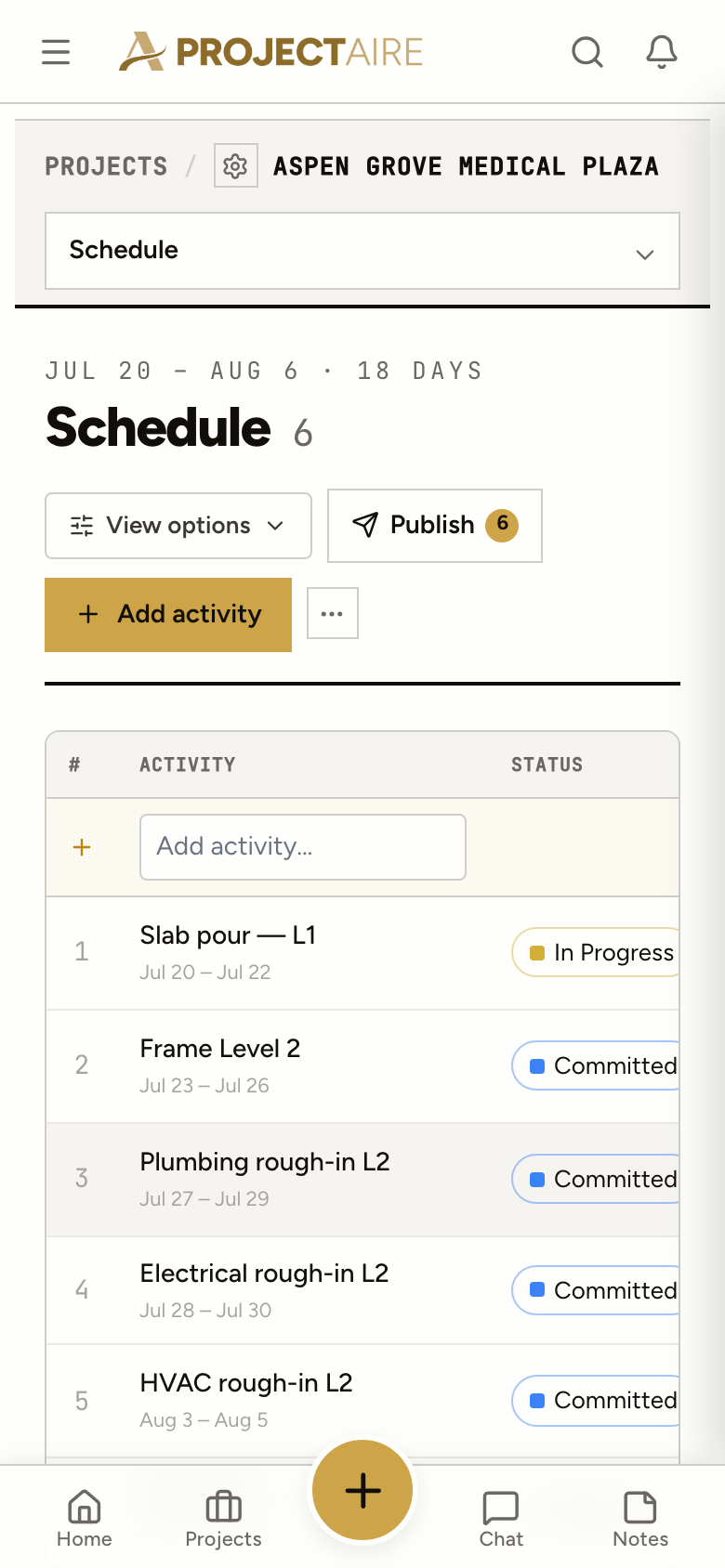
Open the schedule on a phone and the activity opens full screen: who, where, what it’s waiting on. The day view lists the morning in order.
Your own crews
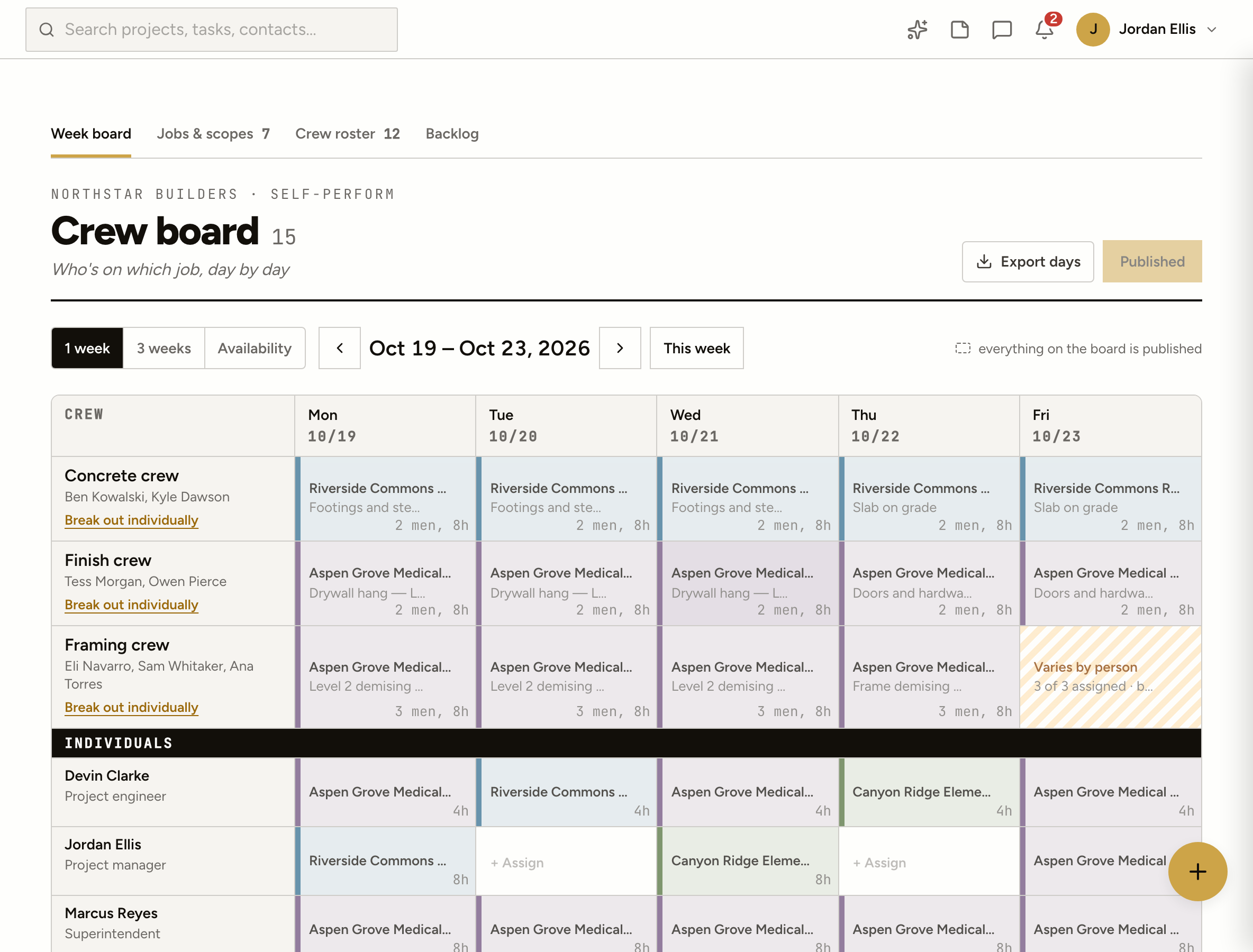
The crew board staffs your own people day by day across every job, and a day can point at a look-ahead activity, so the plan and the people line up.
A short-range schedule, usually three weeks, of the work each trade will do and where. It sits under the master schedule and is what the field actually runs from week to week.
No. When you publish, each company’s schedule contact gets a link to their activities. They confirm or suggest new dates there, without an account. People with a login get it as a notification.
Yes. Generate activities from tasks, RFIs, submittals, punch items, permit inspections and observations. Their dates stay in step, and finishing the task finishes the activity.
The company gets an alert with a link to ask for an extension or say it’s done. You approve, change the date or decline. The schedule page shows what’s waiting on you at the top.
Not today. The look-ahead is built in ProjectAire, by hand or from the job’s own items. Keep your master schedule where it is and run the next three weeks here.
Clients on the project can see it, read-only. Only your team can change it.