

The clipboard
A pre-pour checklist on paper, signed in the rain, filed in a truck. Good luck finding it when the inspector asks.
Build the inspection checklist once, run it on any project from your phone, and turn every failed item into a task or a punch item before the next trade covers it up.
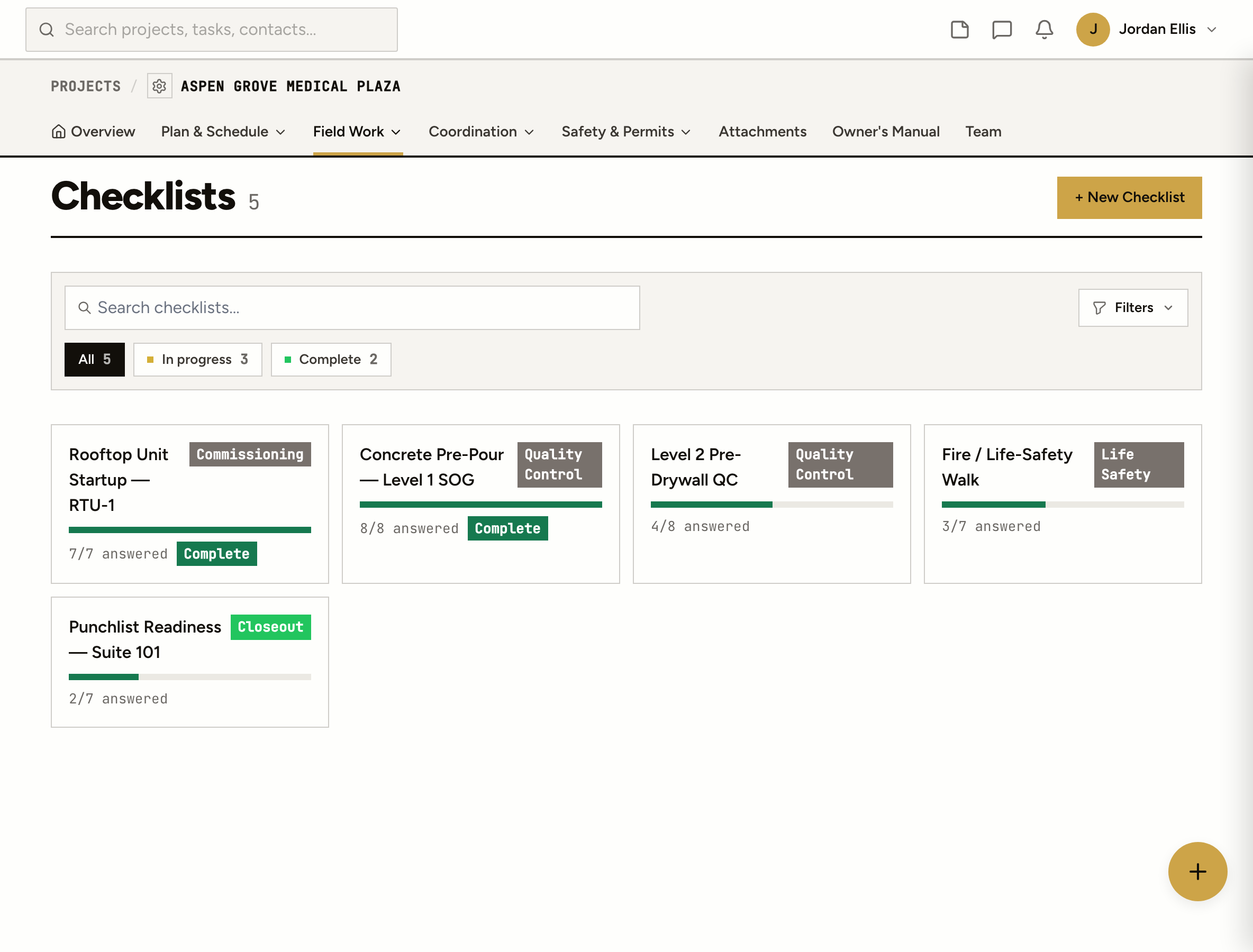
A pre-pour checklist on paper, signed in the rain, filed in a truck. Good luck finding it when the inspector asks.
Each super keeps his own version. The company’s QC standard is whatever the last person remembered.
The box says the blocking isn’t in. Nobody turned it into work, so the drywall went up over it.
How it works
Set up your company’s checklists in the Library: pre-pour, pre-drywall, rooftop startup, life-safety walk. Each item is a checkbox, yes/no, text, number, date, choice or a photo.
Start a checklist from the template on the project you’re standing on. Every job gets the same standard, and the template stays the same for the next one.
Any item can become a task, a punch item or an observation on the spot. The checklist keeps a link to what it turned into.
Mark it complete and it’s stamped with the time and posted to the project feed for the PM. Reopen it if something changes.
On site
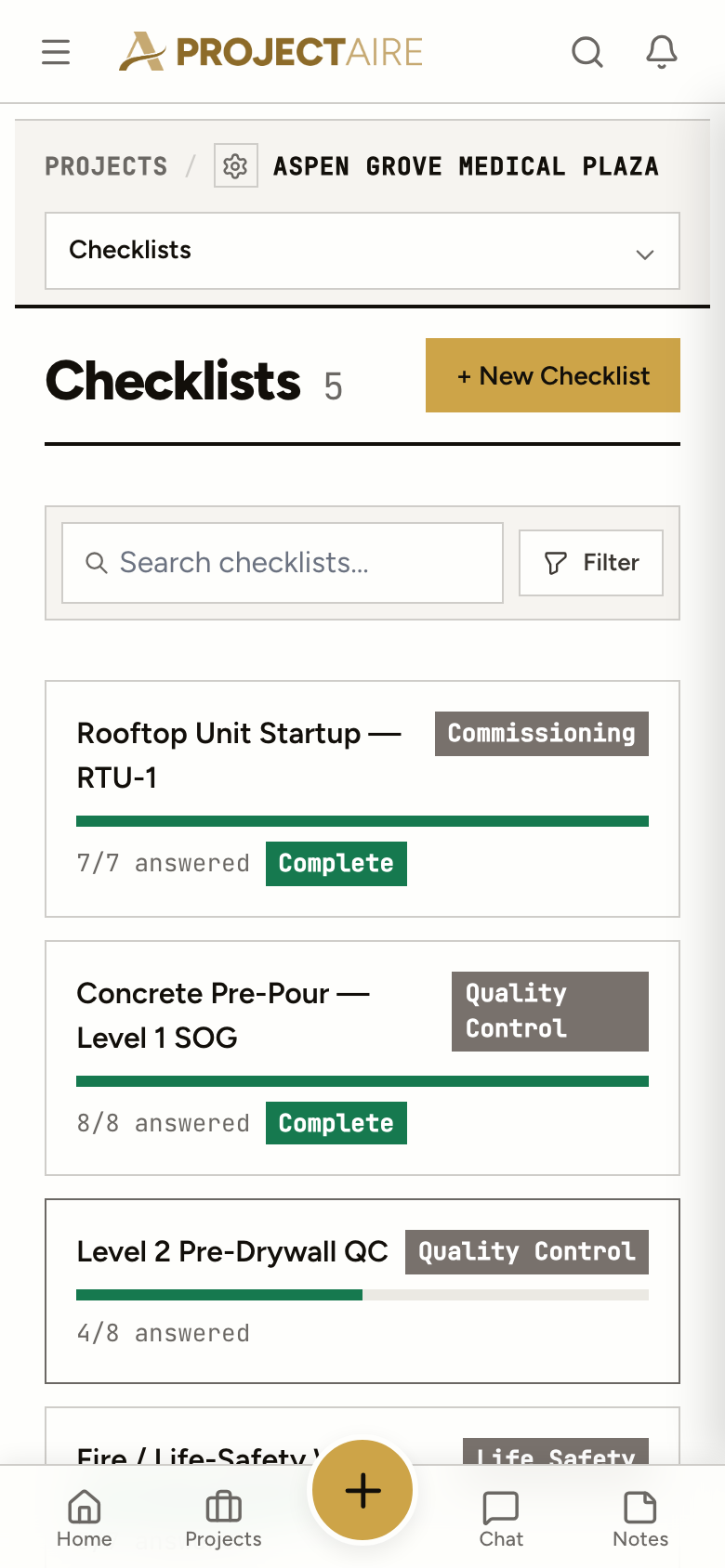
Walk the pour with the checklist open. Answer each item, add a note, take the photo, and turn the problem into a punch item right there.
Observations
Not everything fits a checklist. An observation is a quick note with a photo, and it can become a task, an RFI, a punch item or a safety post once you know what it is.
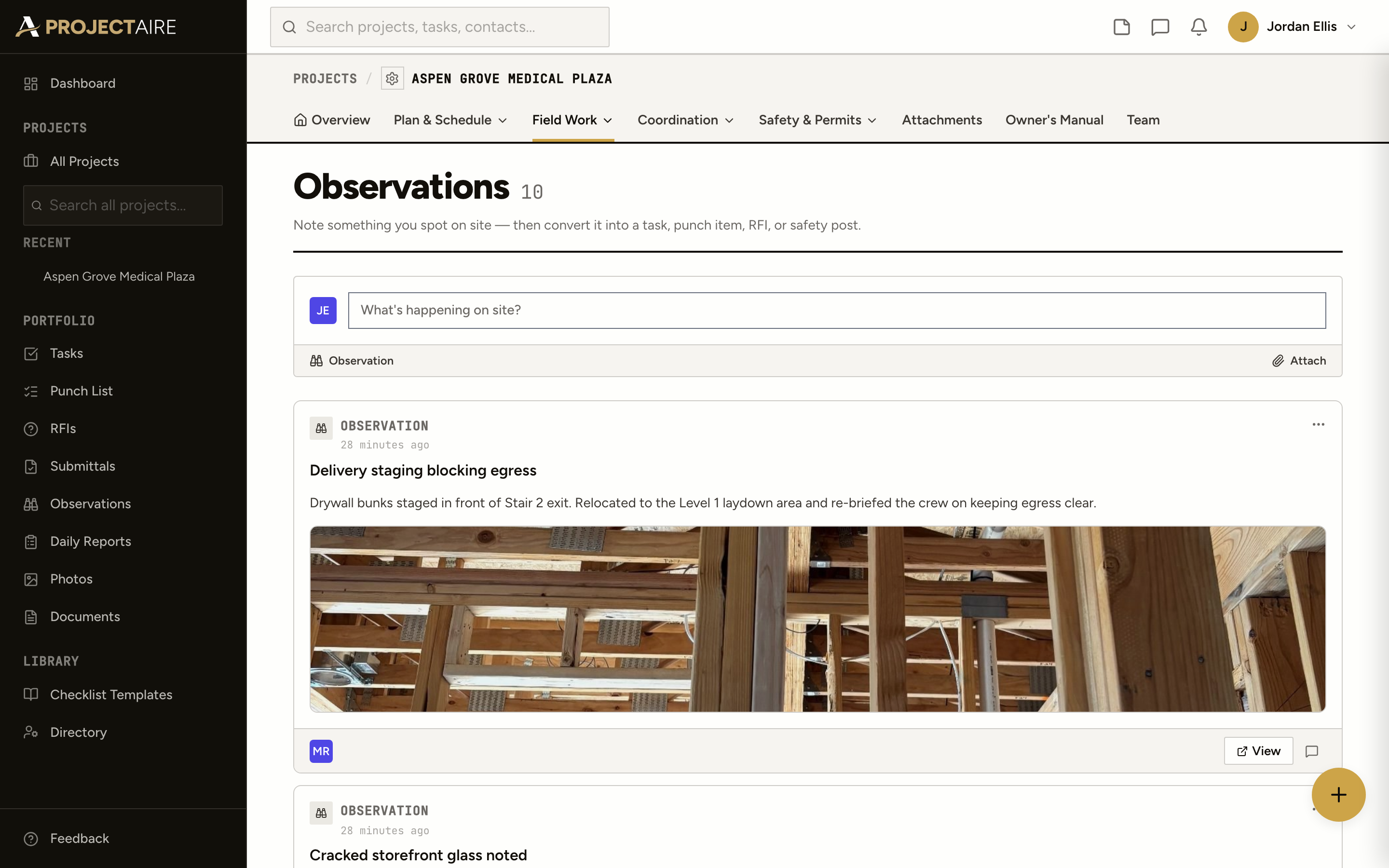
Write down what you saw with photos, who it’s for and who can see it. Open, work required or resolved.
An observation becomes a task, an RFI, a punch item or a safety post later, with its photos copied over.
Safety notes filed from the field, per project and across every job, filtered open or resolved.
All checklists and all observations across your projects, each in one list.
Yes. Build company templates in the Library with your own items and a category, then run them on any project. Items can be checkboxes, yes/no, text, numbers, dates, choices or photos, and every item takes a note.
Turn it into a task, a punch item or an observation from the checklist, so the problem becomes work with someone on it. The checklist keeps the link.
Yes. ProjectAire runs in your phone’s browser and installs to the home screen. Fill in the checklist and take the photos on site.
An observation is a note of what you saw: a hazard, a quality issue, something worth keeping on the record. If it needs fixing, turn it into a punch item, a task or an RFI.
Your team. Checklists are internal and aren’t shown to clients. Observations let you choose who sees each one.
Yes. The all-projects checklist list shows every checklist on every job, in progress or complete.