

The email chain
Fourteen replies, two forwards and an attachment called “RFI 23 rev FINAL (2).pdf”. Which answer did the architect actually mean?
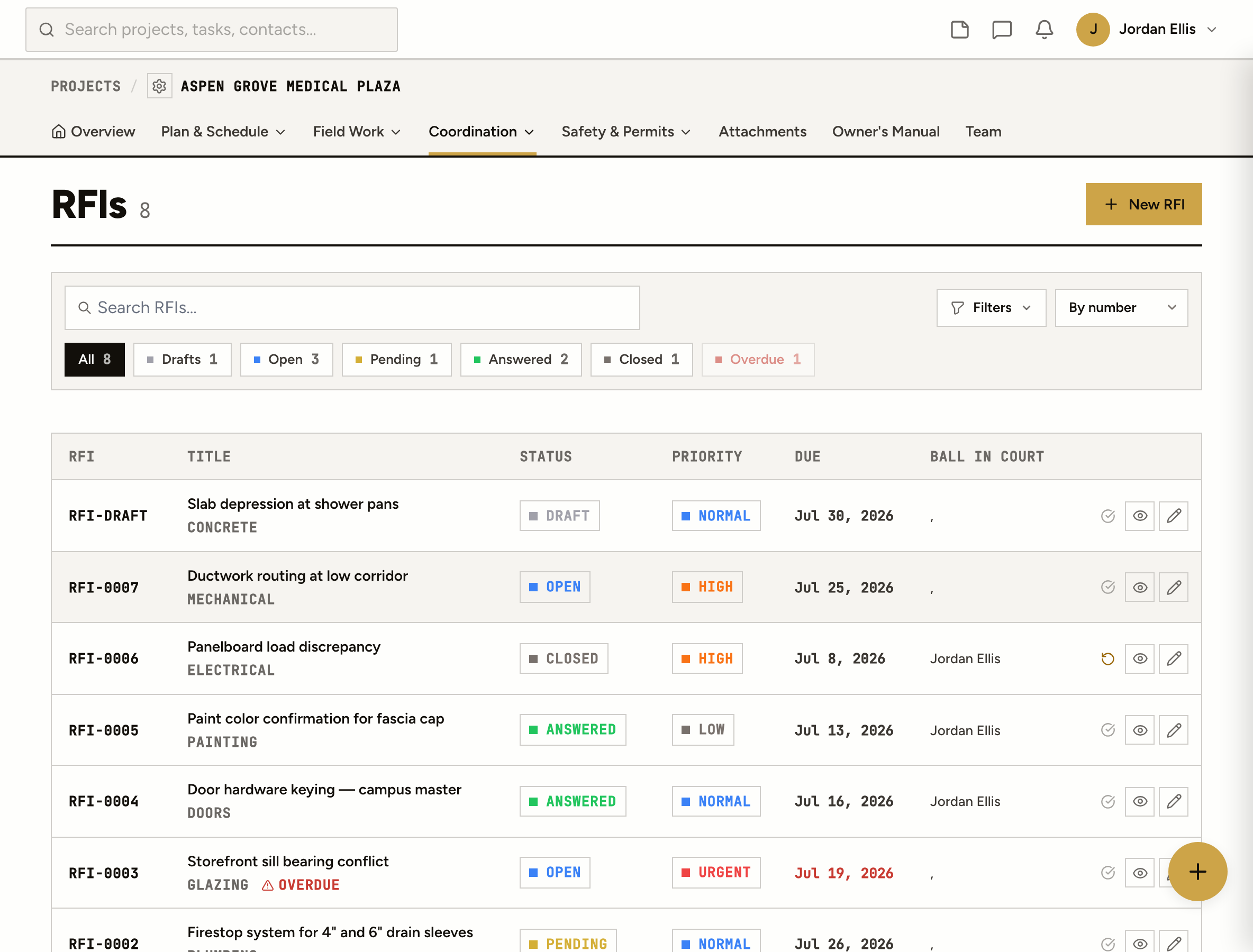
Numbered RFIs with the question, the references, who it’s waiting on and when it’s due. Answers thread under the question, and one of them is the official one.
Fourteen replies, two forwards and an attachment called “RFI 23 rev FINAL (2).pdf”. Which answer did the architect actually mean?
A spreadsheet with a column for “status” that was right the day it was typed. The number on the email doesn’t match the number in the log.
The RFI went out three weeks ago. The crew is waiting, and nobody can say whose desk it’s sitting on.
How it works
Write it in plain language with the spec section, the drawing number, the location and the attachments the architect needs to answer it. A draft stays a draft, with no number, until you publish it.
Publishing mints the next number, RFI-0001 and on, never reused. The assignees, the RFI manager and the distribution list are notified. Nobody has to forward an email.
Responses thread under the RFI with their own attachments. Mark one as the official response, and there’s never a debate about which reply counts.
Until someone answers, it’s with the assignees. Once they have, it’s back with the RFI manager to close. The due date turns it overdue on its own, on the RFI and in the log.
From the field
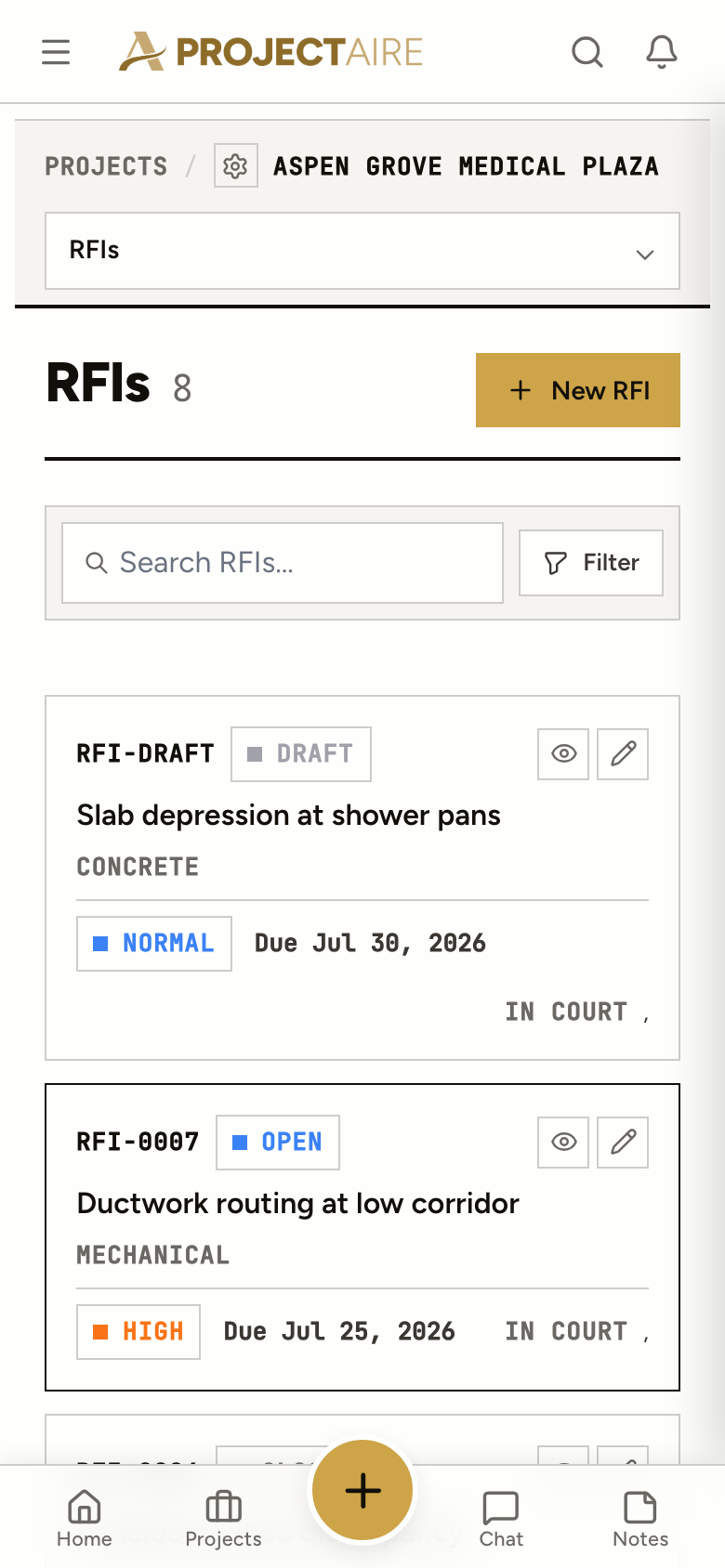
Start the RFI on your phone with the photo of the condition. Finish the wording at the desk and publish it when it’s ready.
None, potential or confirmed, with the dollar amount and the days. The numbers you’ll want when the change order conversation starts.
Spec section, drawing number, location, trade, the stage of the job, who it was received from and the responsible contractor.
Assignees, a distribution list and an RFI manager. Clients can answer if you give them access on the project.
Every RFI page opens with one sentence: who it’s waiting on, when it’s due and how late it is.
After the answer
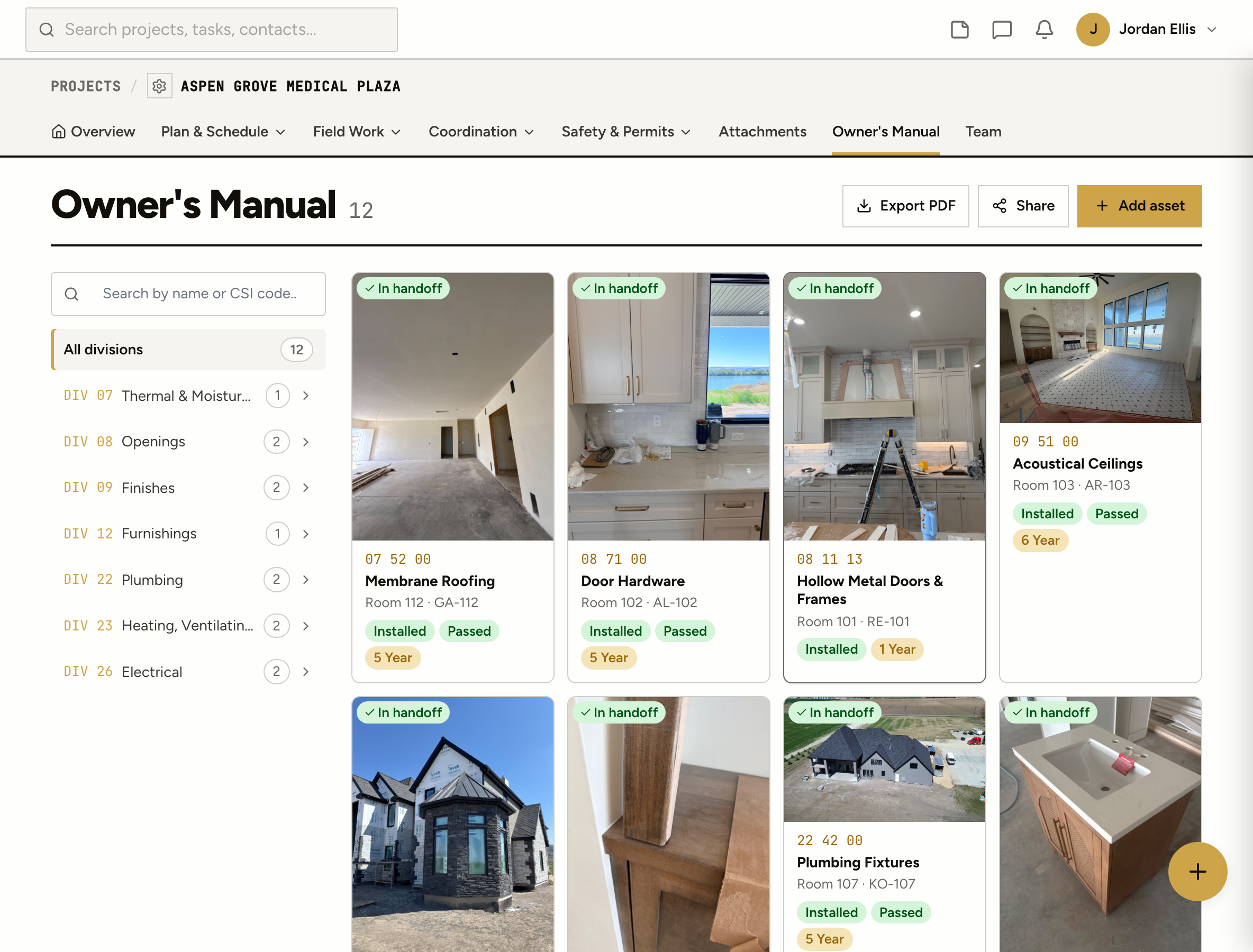
A closed RFI stays searchable. Tag it to an asset in the Owner’s Manual and it goes to the owner at handover, filed with the equipment it was about.
When you publish it. Drafts show as RFI-DRAFT, so a question you’re still writing never burns a number. Numbers count up per project and are never reused.
Yes. Add the architect or engineer to the project as a client and they can respond on the RFI. They sign in to answer, so every response has a name and a date on it.
One answer marked as the one that counts. Marking it moves the RFI to Answered. Only an admin or PM can mark it, and only they can close the RFI.
Yes. Each RFI carries a cost impact and a schedule impact (none, potential or confirmed) with the amount and the number of days.
Yes. Import a CSV and check the preview first. Imported RFIs land as drafts unless you choose to publish them. Export the log to CSV any time.
Yes. The all-projects RFI list groups them by job with counts for each status and overdue, so the late ones are the first thing you see.